


A CRM is more than just a database of contacts; it is the central hub for all customer interactions, data, and history. The right system empowers support agents, streamlines workflows, and provides the insights needed to build lasting customer loyalty.
However, with a market saturated with options, identifying the perfect fit for your contact centre's unique demands can be a significant challenge. This guide is designed to simplify that process. We provide an in-depth look at leading CRM software examples, analysing them specifically through the lens of customer support operations.
We move beyond generic feature lists to offer a vendor-neutral assessment, focusing on practical strengths, potential weaknesses, and key implementation considerations. Each profile includes screenshots and direct links, giving you a clear view of the platform in action. Our analysis covers:
- Strengths & Weaknesses: An honest look at what each platform does well for support teams and where it might fall short.
- Use Cases: Specific scenarios where each CRM excels within a contact centre environment.
- Integration Potential: How well it connects with essential tools like contact centre platforms, ticketing systems, and knowledge bases.
This comprehensive resource is built to help CX leaders, operations directors, and BPO decision-makers make an informed, strategic choice. Our goal is to equip you with the insights needed to select a CRM that aligns with your operational goals and scales effectively with your business.
1. Salesforce Sales Cloud (Adapted for Service)
Salesforce's flagship CRM, while sales-focused by name, is often adapted for service due to its extreme customisability and vast AppExchange ecosystem. Organisations can build sophisticated, bespoke service workflows and integrate virtually any contact centre tool, making it a powerful, albeit complex, choice. Its strength lies in creating a unified customer view that incorporates sales history, marketing interactions, and service cases on a single platform. This makes it one of the most versatile CRM software examples for enterprises that require deep integration between their sales and service departments.
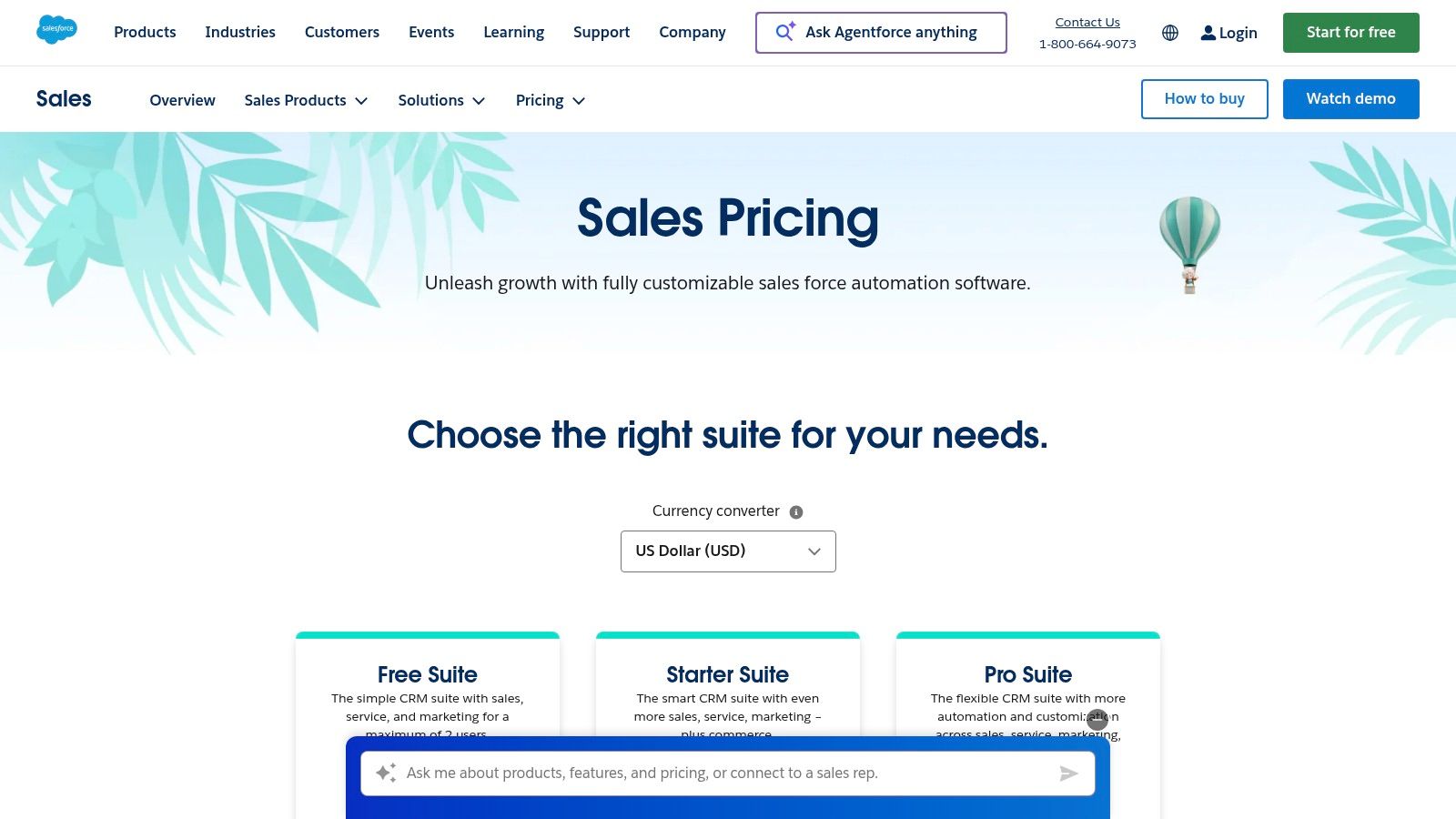
This platform excels where out-of-the-box solutions fail. The ability to create custom objects, fields, and automation rules allows support teams to tailor the CRM precisely to their unique processes, rather than adapting their processes to the software's limitations. For BPOs managing multiple client accounts, its robust data segmentation and permission controls are invaluable for maintaining data security and operational efficiency.
Strengths and Weaknesses for Support Teams
| Strengths | Weaknesses |
|---|---|
| Unmatched Customisability: Tailor every aspect of the service workflow. | High Implementation Cost: Requires significant investment in development or consultants. |
| Vast Integration Ecosystem: Connects with nearly any contact centre tool. | Steep Learning Curve: User interface can be overwhelming for new agents. |
| Powerful Reporting & Analytics: Deep insights into team performance. | Sales-Centric UI: Service features may feel less intuitive than in dedicated tools. |
Practical Implementation Tip
When adapting Sales Cloud for service, prioritise creating custom "Case" record types and page layouts for different support channels (e.g., email, phone, chat). This ensures agents only see relevant fields for each interaction type, reducing clutter and improving efficiency. Use Process Builder or Flow to automate case assignment and escalation rules based on factors like customer tier or issue complexity. This foundational setup is critical for scaling support operations effectively on the platform.
2. HubSpot Sales Hub (Customer Platform)
HubSpot's modular platform, with its Sales Hub at the core, is a popular choice for teams prioritising rapid deployment and strong native alignment between sales, marketing, and service. Its standout features are deep email and calendar integrations, automated sequences, and conversation intelligence tools that streamline agent workflows. The modular design allows businesses to add Marketing, Service, and Operations hubs as they grow, creating a unified customer platform without the complexity of a monolithic enterprise system. This makes it an excellent example of CRM software examples that scale from free tools to enterprise-level functionality.
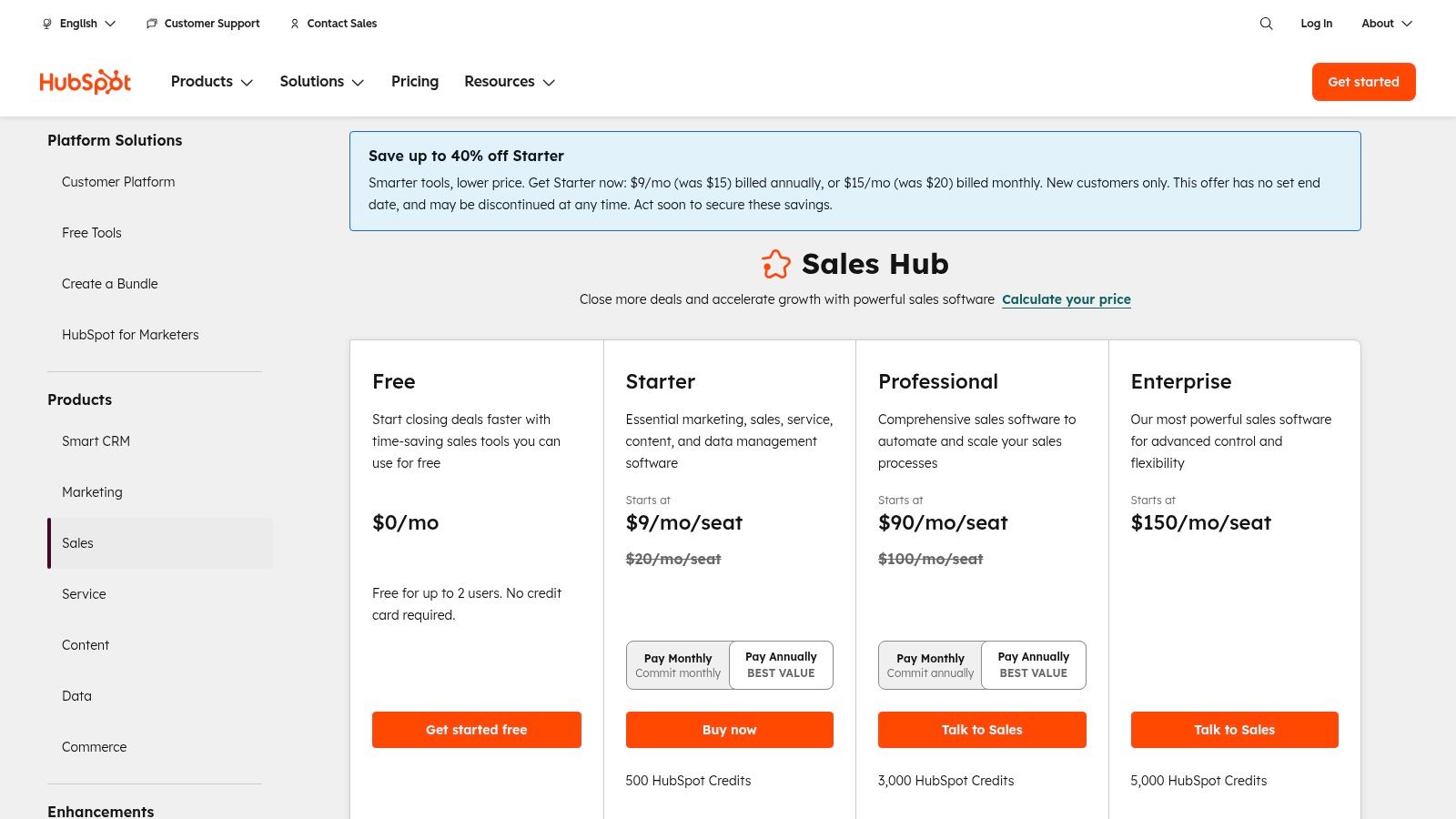
The platform is renowned for its user-friendly interface and extensive free educational resources, significantly lowering the barrier to entry for support teams. This focus on ease-of-use ensures agents can get up to speed quickly, focusing on customer interactions rather than navigating complex software. For organisations new to structured CRM, HubSpot offers a clear and guided path to more sophisticated customer management.
Strengths and Weaknesses for Support Teams
| Strengths | Weaknesses |
|---|---|
| Easy Onboarding & User-Friendly UI: Minimises agent training time. | Onboarding Fees at Higher Tiers: Required for Professional and Enterprise plans. |
| Rich Educational Content: Extensive free training via HubSpot Academy. | Costs Scale with Contacts & Seats: Pricing can increase sharply for larger teams. |
| Seamless Hub Integration: Natively connects sales, marketing, and service data. | Less Customisable than Enterprise CRMs: Fewer options for deep, bespoke workflows. |
Practical Implementation Tip
When setting up HubSpot for a support team, leverage the Service Hub module alongside Sales Hub, even at the free or starter tiers. Create a support pipeline in the Deals object (or Tickets in Service Hub) to track issue resolution stages visually. Use meeting links and email templates to standardise follow-ups and schedule support calls efficiently. A well-planned setup is key, and understanding different CRM implementation strategies can ensure the platform aligns with your organisational goals from day one.
3. Zoho CRM
Zoho CRM is a highly cost-effective and configurable platform, popular with SMEs and mid-market organisations seeking a comprehensive solution without enterprise-level pricing. Its key advantage is its seamless integration into the broader Zoho ecosystem, which includes over 40 business applications. This allows teams to create a unified system for sales, marketing, and support, leveraging features like multi-pipeline management and the AI assistant, Zia, to streamline operations. The platform is a strong contender among CRM software examples for businesses that need deep functionality and regional data hosting options.
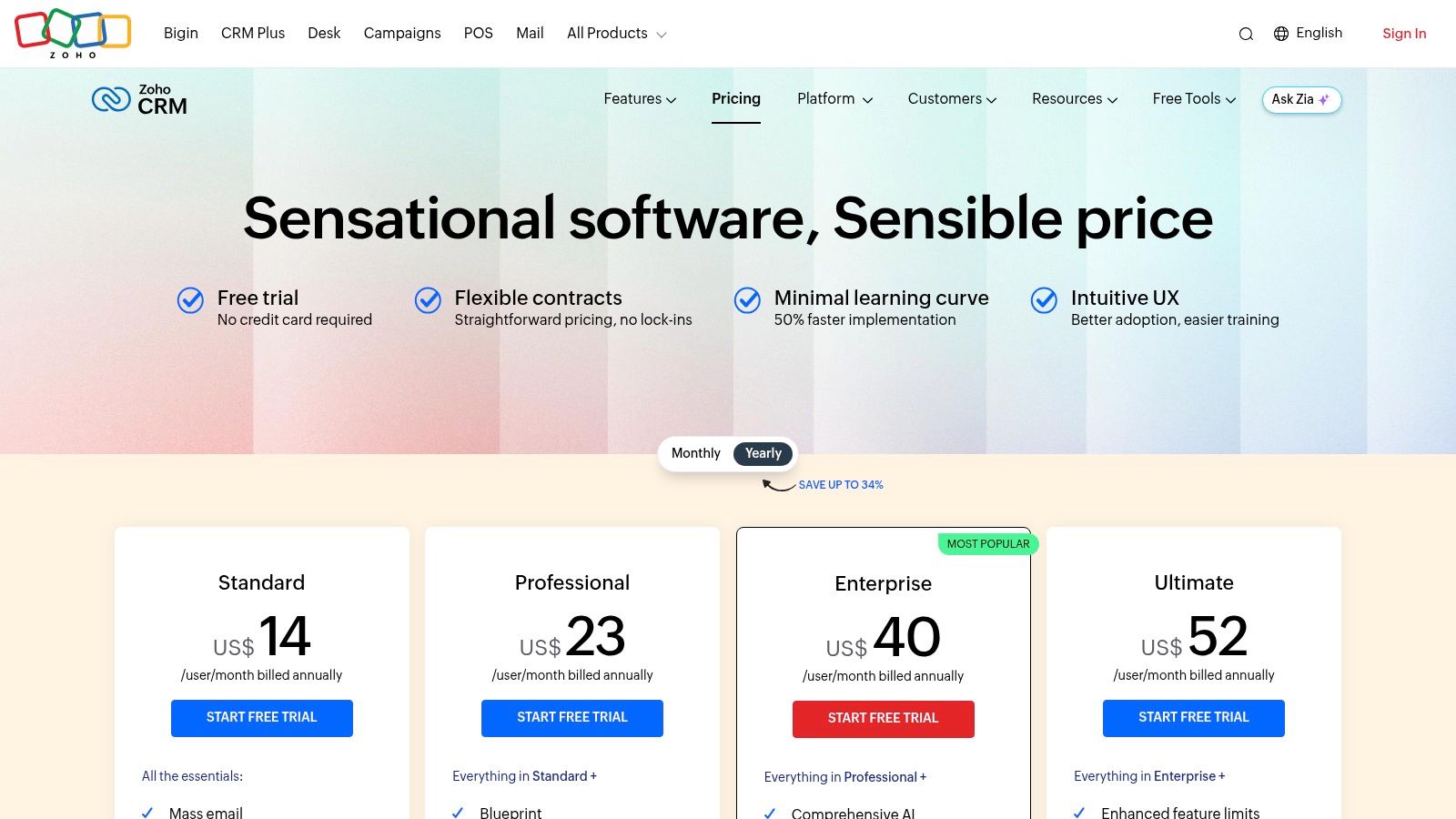
This platform excels at providing a wide array of tools within a single subscription. The ability to use Blueprints to guide agents through specific service processes ensures consistency, while integrations with Zoho Desk and Zoho Analytics provide a complete customer service toolkit. For organisations in the AE region, its regional data centres in Abu Dhabi and Dubai are a significant benefit for meeting data residency and compliance requirements.
Strengths and Weaknesses for Support Teams
| Strengths | Weaknesses |
|---|---|
| Wide functional breadth via Zoho ecosystem: Connects seamlessly with other Zoho apps. | Advanced analytics on higher tiers: Some AI and BI features require pricier plans. |
| Competitive Pricing: Offers a feature-rich free tier for up to three users. | Occasional learning curve: Building complex custom reports can be challenging at first. |
| Regional Data Centres: Ensures data residency in regions like the UAE. | UI can feel dense: The sheer number of features may overwhelm new users. |
Practical Implementation Tip
When setting up Zoho CRM for a support team, leverage the Blueprints feature to standardise your case resolution process. Create a visual workflow that dictates the sequence of actions an agent must follow for different issue types, such as returns or technical faults. This ensures every customer receives a consistent service experience and reduces agent training time. Combine this with workflow rules to automate case assignments to the right team or individual based on product category or customer location.
4. Microsoft Dynamics 365 Sales
For organisations deeply embedded in the Microsoft ecosystem, Dynamics 365 Sales offers a compelling CRM solution. Its primary advantage is the seamless, native integration with tools like Outlook, Teams, and Power BI. This allows support teams to manage customer interactions directly within familiar applications, reducing context switching and improving efficiency. The platform provides robust opportunity management and forecasting, which, when combined with service data, gives a complete view of the customer relationship lifecycle. This makes it one of the strongest CRM software examples for enterprises standardised on Microsoft technology.
The inclusion of Copilot AI provides practical assistance for agents by summarising long case histories, drafting email responses, and updating records automatically. Its enterprise-grade security and governance features are a significant draw for organisations in regulated industries. For businesses utilising this platform, specialized consulting for Microsoft Dynamics 365 can further optimise its capabilities and ensure a successful implementation tailored to specific support workflows.
Strengths and Weaknesses for Support Teams
| Strengths | Weaknesses |
|---|---|
| Strong Microsoft Ecosystem Integration: Works natively with Outlook and Teams. | Can Feel Complex: The interface and options can be overwhelming for new users. |
| Enterprise-Grade Security: Robust governance and compliance controls. | High Implementation Effort: Realising full value often requires significant setup. |
| Embedded Copilot AI: Provides intelligent assistance for routine tasks. | Best Value in MS Stack: Less compelling for companies not using Microsoft tools. |
Practical Implementation Tip
When setting up Dynamics 365 for a support team, leverage the native Outlook integration from day one. Configure the Dynamics 365 App for Outlook to allow agents to track emails and appointments as cases or activities without leaving their inbox. Use Power Automate (part of the Power Platform) to create flows that automatically generate a case record from an email sent to a specific support address (e.g., support@company.com), assigning it to the appropriate queue based on keywords in the subject line. This simple automation dramatically reduces manual case creation.
Visit Microsoft Dynamics 365 Sales
5. Freshsales by Freshworks
Freshsales offers a sales-centric CRM that stands out for its integrated communication channels and rapid implementation. It's designed for teams that need native telephony, email, and chat capabilities without complex setup, making it one of the more accessible CRM software examples for small to medium-sized businesses. Its strength lies in providing a unified platform where sales reps can manage leads, engage prospects across multiple channels, and get AI-driven insights from a single screen.
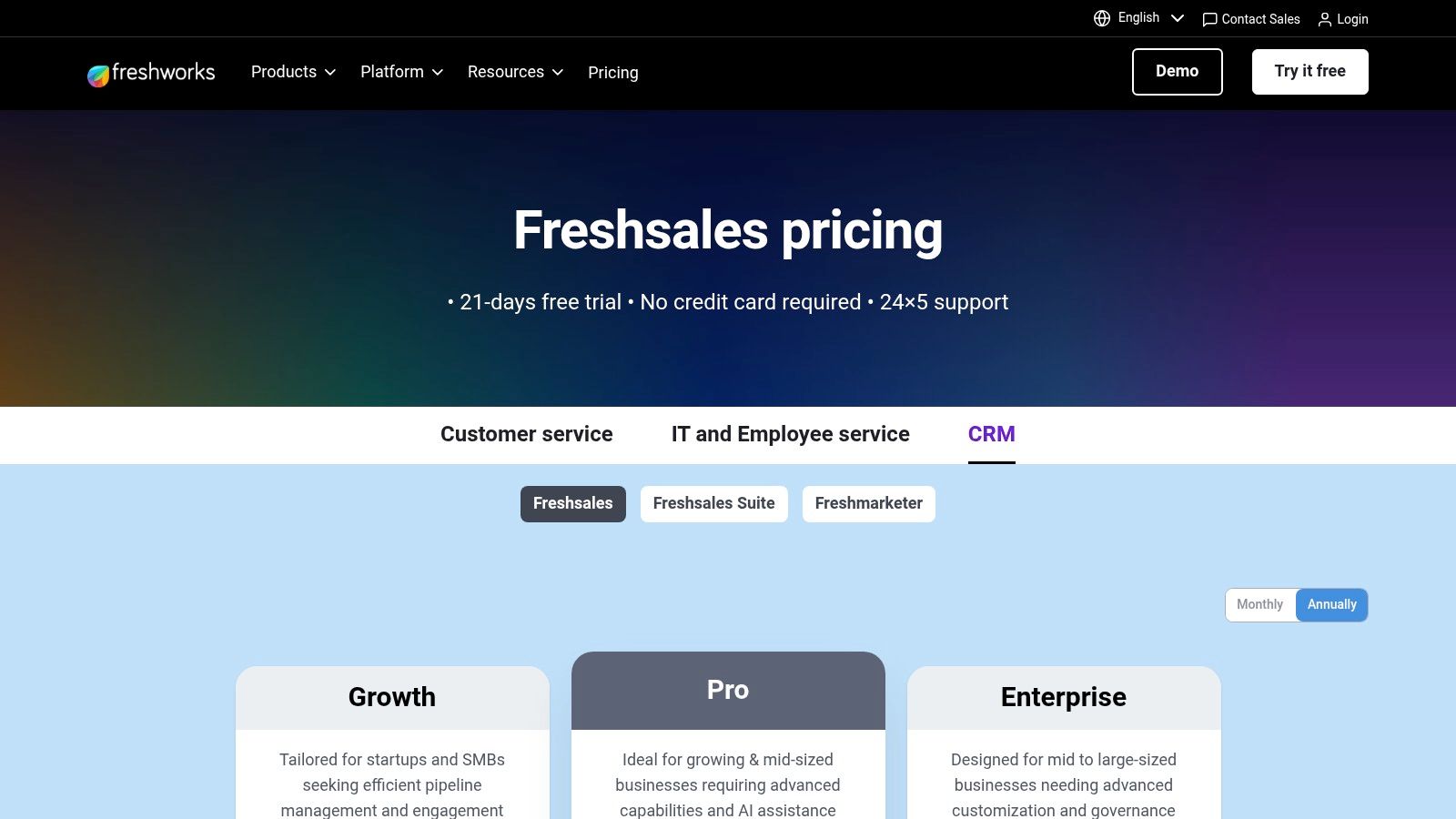
This platform excels at providing a clear, out-of-the-box solution with transparent pricing, which contrasts with the often opaque and custom-quoted models of larger enterprise systems. The built-in Freddy AI helps prioritise leads by scoring their engagement, allowing teams to focus their efforts effectively. To understand how the broader Freshworks ecosystem, including its service management capabilities, can enhance your overall customer experience, explore a detailed guide on Freshservice by Freshworks for a more complete picture of its integrated offerings.
Strengths and Weaknesses for Support Teams
| Strengths | Weaknesses |
|---|---|
| Good Out-of-the-Box Multichannel: Native phone, email, and chat are built-in. | Advanced Features Gated: Custom modules and sandboxes are on the highest tier. |
| Transparent Pricing: Clear trial periods and feature tiers simplify procurement. | Add-on Costs: Chatbots and CPQ tools can significantly increase the total price. |
| User-Friendly Interface: Quick adoption for teams with minimal CRM experience. | Sales-First Focus: Support-specific workflows may be less refined than sales ones. |
Practical Implementation Tip
When setting up Freshsales, immediately configure its multiple pipeline management feature to create distinct pipelines for "New Sales" and "Customer Support/Upsell". This ensures that support-related interactions, like expansion opportunities or issue escalations that require sales involvement, are tracked separately from net-new lead generation. Use the native telephony integration to set up call queues for different support functions (e.g., technical vs. billing) to route inquiries to the correct agent group from the start.
6. Pipedrive
Pipedrive is a sales-first CRM celebrated for its visual pipeline management and exceptional ease of use, making it a strong contender for SMBs. While not a dedicated service tool, its intuitive interface allows support teams to visualise issue resolution stages, similar to a sales funnel. This approach helps in tracking ticket progression and identifying bottlenecks in the support process. Its strength is its simplicity and rapid user adoption, making it one of the most accessible CRM software examples for teams that need a straightforward, visual way to manage customer interactions without a steep learning curve.
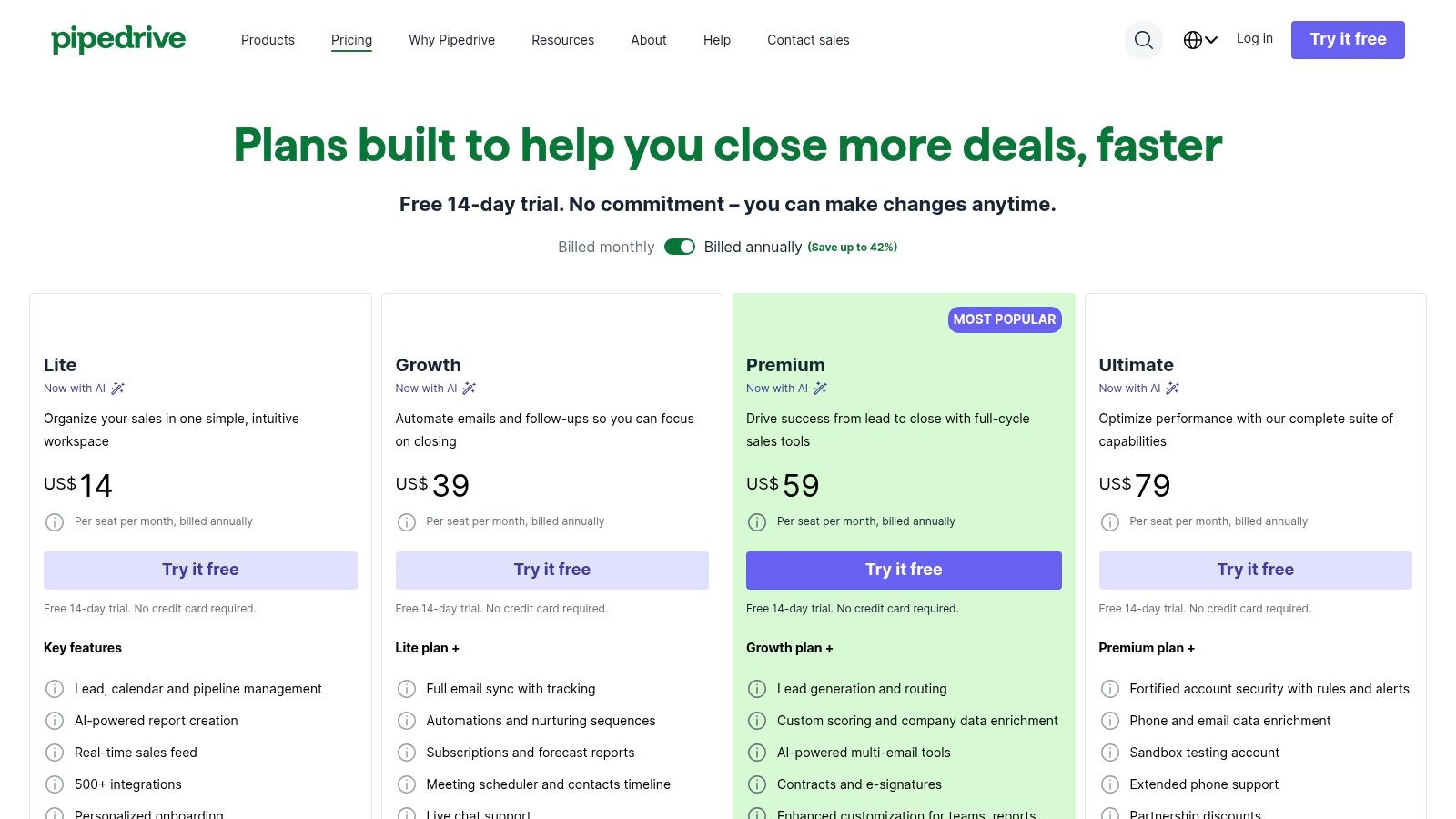
The platform's customisable pipelines can be adapted to represent support ticket stages, from "New" to "In Progress" and "Resolved". This provides managers with a clear, at-a-glance overview of the team's workload. While it lacks the deep, case-specific features of dedicated service CRMs, its powerful automation capabilities can handle routine tasks like ticket assignment or sending follow-up emails, freeing up agents to focus on more complex customer issues.
Strengths and Weaknesses for Support Teams
| Strengths | Weaknesses |
|---|---|
| Highly Intuitive UI: Extremely easy for new agents to learn and adopt. | Limited Service Features: Lacks native ticketing, SLAs, or knowledge base tools. |
| Excellent Pipeline Visibility: Visually track tickets through resolution. | Add-on Costs: Key functions like lead generation or advanced analytics require add-ons. |
| Strong Automation Capabilities: Automate repetitive tasks and workflows. | Less Suited for Complex Needs: May not scale for large, multi-channel support centres. |
Practical Implementation Tip
To adapt Pipedrive for support, create a dedicated "Support Pipeline" with custom stages like "Triage," "Awaiting Customer Response," and "Escalated." Use custom fields to capture critical information such as issue type, priority level, and product affected. Set up automation rules to automatically move deals (tickets) between stages based on email activities or manual triggers, ensuring a consistent and trackable support process for your team.
7. Odoo (CRM app in suite)
Odoo positions itself as an all-in-one business management suite, where the CRM is a powerful, integrated app rather than a standalone product. This modular approach appeals to SMEs wanting to consolidate operations like sales, accounting, and inventory under a single vendor stack. Its core strength is the seamless flow of information; a customer service interaction logged in the CRM is natively visible to the sales and accounting teams, creating a truly unified customer profile without complex third-party integrations. This makes it a compelling example among CRM software examples for organisations prioritising operational efficiency.
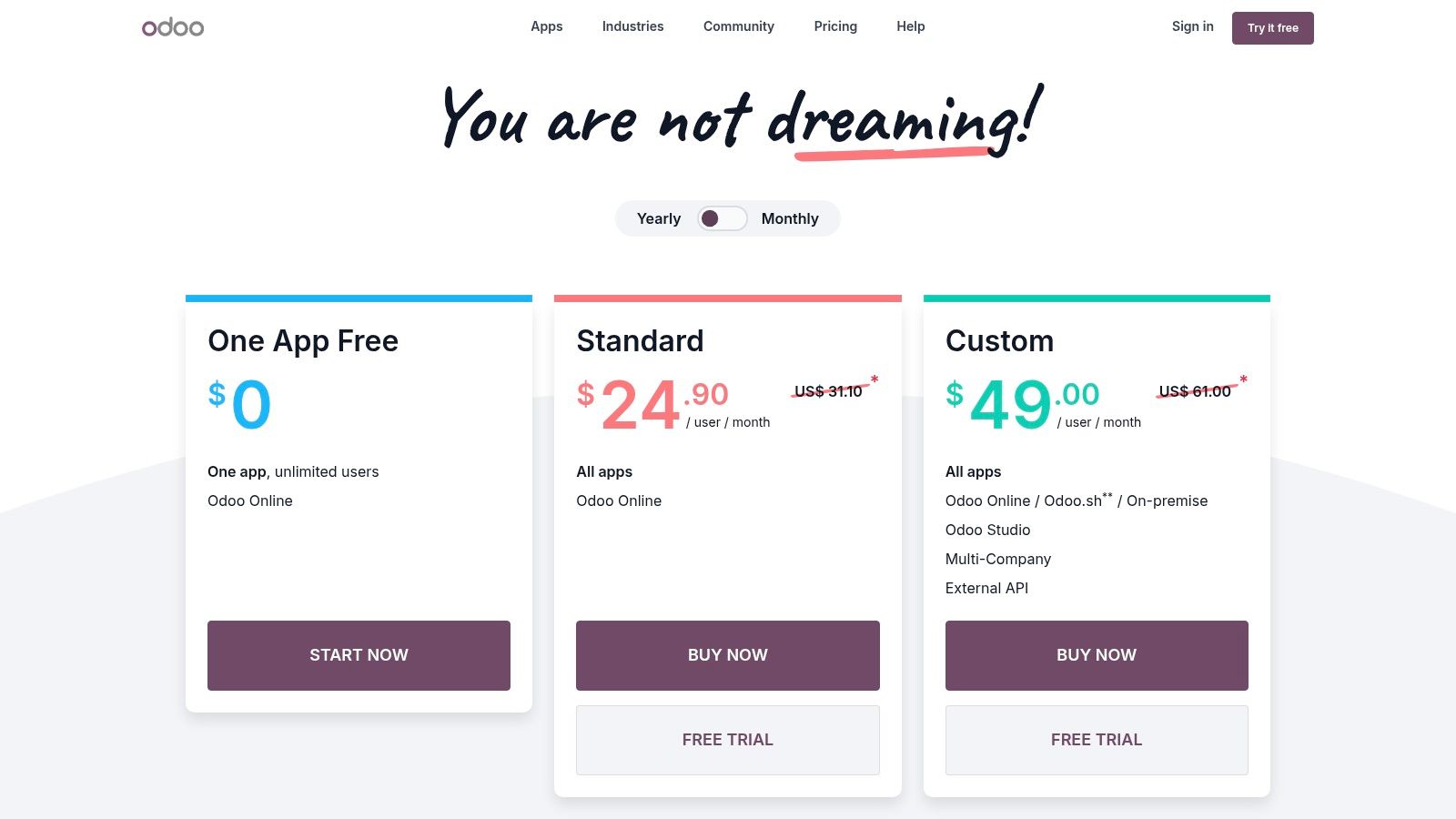
The platform offers remarkable flexibility in deployment, with cloud, Odoo.sh (a managed PaaS solution), and on-premise options. This is a significant advantage for businesses with specific data sovereignty or security requirements. While users can start with just the CRM app for free, its real value emerges when bundled with other modules, turning it into a comprehensive client database software and ERP system. This scalability allows businesses to start small and add functionality as they grow.
Strengths and Weaknesses for Support Teams
| Strengths | Weaknesses |
|---|---|
| Unified Vendor Stack: Reduces integration costs and data silos. | Complex Configuration: The breadth of features can require a careful, planned rollout. |
| Flexible Deployment: Cloud, managed PaaS, and on-premise options. | Partner Dependency: Advanced customisation is often best handled by Odoo partners. |
| Scalable & Modular: Start with CRM and add other business apps as needed. | Less Specialised: May lack the depth of niche, support-only CRM platforms. |
Practical Implementation Tip
When implementing Odoo for support, leverage its native integration with the "Project" app. Create a dedicated "Support Tickets" project where each new CRM case automatically generates a task. This allows support managers to use Kanban boards and resource allocation tools from the Project app to manage agent workload and track ticket progress, providing a more granular view than the standard CRM pipeline alone.
8. SAP Sales Cloud
SAP Sales Cloud is an enterprise-grade CRM engineered for large organisations with complex sales cycles, particularly those already invested in the SAP ecosystem. It excels at providing guided selling experiences, deep analytics, and seamless integration with SAP's broader ERP portfolio. This creates a highly unified operational environment where sales activities are directly linked to finance, supply chain, and manufacturing data. For complex B2B support scenarios, this makes it one of the most powerful CRM software examples for achieving a true 360-degree view of the customer relationship, extending far beyond typical service interactions.
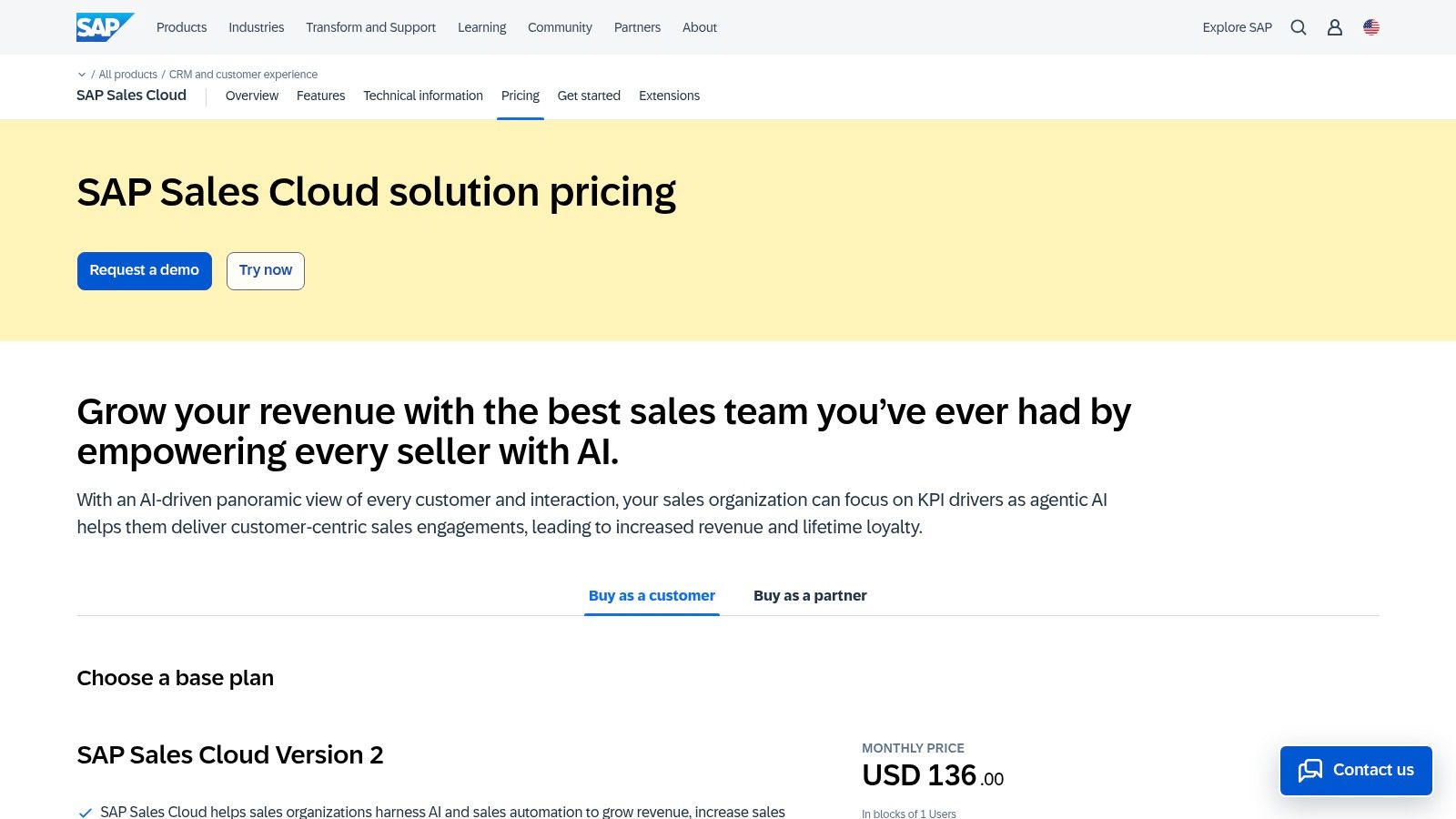
The platform provides sales teams with dedicated workspaces and unified account views, enriched by AI-powered insights and advanced forecasting. For support teams in these organisations, the key benefit is visibility into complex account histories, contract terms, and order statuses pulled directly from the ERP. This context is crucial for resolving issues related to billing, logistics, or product specifications without needing to switch between systems, empowering agents to provide more accurate and informed support.
Strengths and Weaknesses for Support Teams
| Strengths | Weaknesses |
|---|---|
| Tight Integration with SAP ERP: Unrivalled access to back-office data. | Higher Price Point: Typically requires a significant enterprise-level investment. |
| Strong Enterprise Governance: Robust process control for complex needs. | Longer Implementation Cycles: Best fit for organisations already on the SAP stack. |
| Advanced Analytics Capabilities: Deep insights into customer value. | Complex for SMEs: The platform's depth can be overkill for smaller support teams. |
Practical Implementation Tip
When implementing SAP Sales Cloud in a support context, focus on configuring the "Account 360" view to surface critical ERP data points for agents. Customise the service dashboard to include fields like "Open Orders," "Invoice History," and "Contract Level" directly from your SAP S/4HANA or ERP system. This integration is the platform's core strength; prioritising it ensures that support agents can resolve complex, operations-related queries efficiently without escalating or transferring the customer.
9. monday sales CRM
Built on the flexible monday.com Work OS, this platform offers a highly visual, board-based approach to customer relationship management. Its core strength is no-code customisation, allowing support teams to rapidly build and adapt workflows using templates and drag-and-drop interfaces. This makes it a compelling choice for organisations where customer service processes are tightly integrated with project management or post-sales delivery, as all activities can be managed within a unified, colour-coded environment. For teams that need agility without a heavy reliance on IT, it is one of the more accessible CRM software examples.
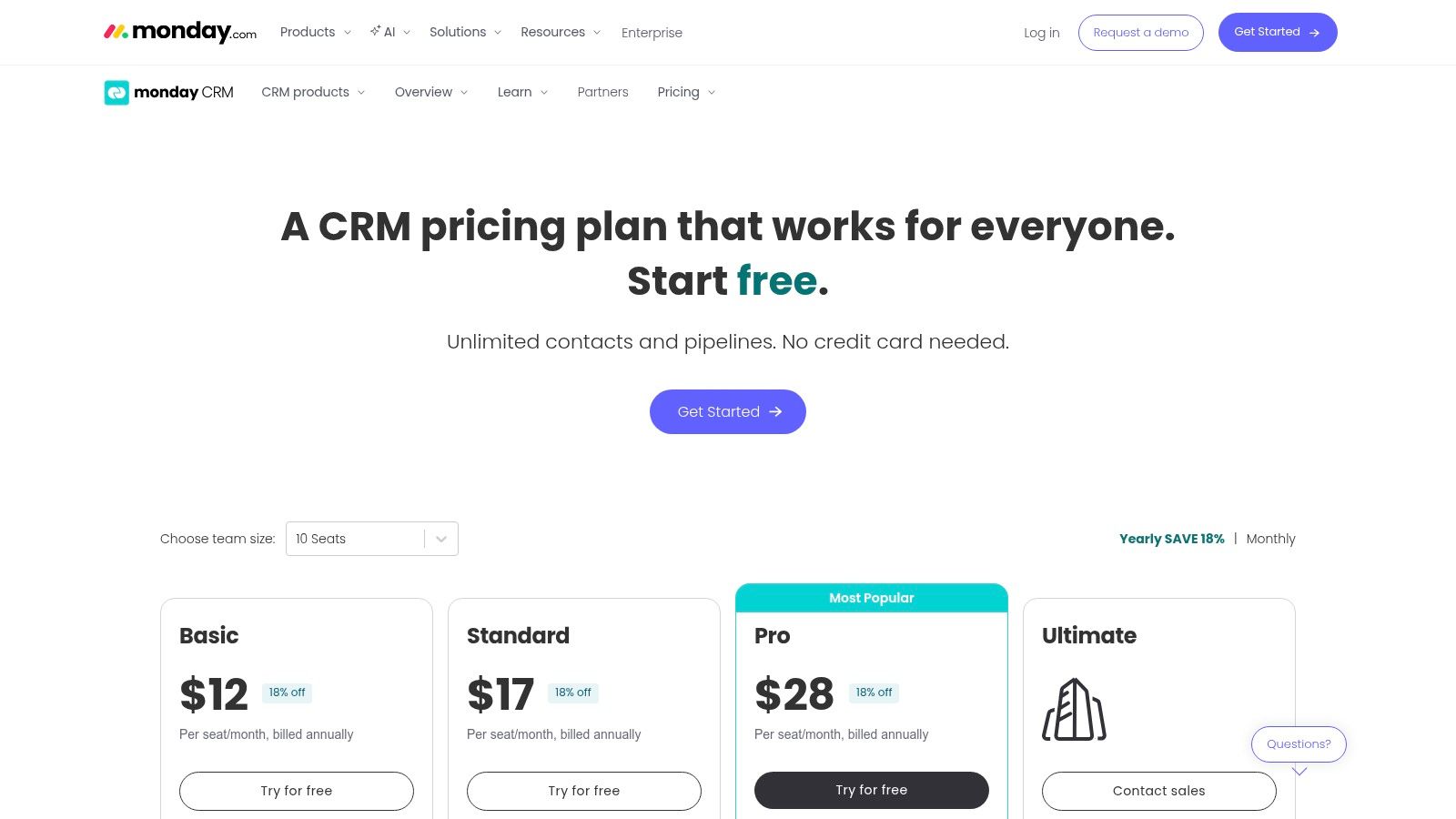
This platform excels in scenarios where support teams manage complex, multi-stage customer issues that resemble small projects. For instance, a technical support team can track a bug report from initial contact through to engineering resolution and final customer follow-up on a single visual board. Its two-way email integration and powerful automations streamline communication and reduce manual data entry, freeing up agents to focus on problem-solving.
Strengths and Weaknesses for Support Teams
| Strengths | Weaknesses |
|---|---|
| Very Fast to Customise: Intuitive UI allows for rapid process building. | Minimum Seat Requirements: Plans often start with a 3-seat minimum. |
| Excellent User Experience: Visually engaging and easy for agents to adopt. | Tiered Feature Access: Advanced features are locked behind higher-tier plans. |
| Strong Template Library: Pre-built boards for various use cases speed up setup. | Less Specialised for Service: Lacks deep, dedicated service features like SLA management. |
Practical Implementation Tip
When setting up monday sales CRM for a support team, start with a "Customer Tickets" or "Support Cases" board template. Customise the columns to track key information like ticket source, priority, assigned agent, status, and resolution date. Use the automation features to create rules that automatically notify an agent when a new ticket is assigned to them or when a high-priority ticket's status has not changed in 24 hours. This creates an immediate, visual, and automated system for managing incoming support requests.
10. Salesforce AppExchange (CRM apps marketplace)
While not a CRM itself, Salesforce AppExchange is an essential resource for any organisation using the Salesforce ecosystem. It is the largest enterprise cloud marketplace, offering over 5,000 vetted applications and components designed to extend Salesforce's native functionality. For support teams, this means access to specialised tools for everything from advanced contact centre integrations (CaaS) and knowledge base management to industry-specific case resolution workflows. This makes it a critical platform for discovering and deploying niche solutions that turn a standard Salesforce instance into a highly tailored support hub.
The primary value for CX leaders is the ability to fill functional gaps without custom development. Instead of building a bespoke SMS notification system, a team can install a pre-built, reviewed, and supported application directly into their org. This catalogue of CRM software examples and add-ons significantly reduces time-to-value for new initiatives. It also allows organisations to pilot new technologies with free trials before committing, ensuring a solution fits their exact operational needs.
Strengths and Weaknesses for Support Teams
| Strengths | Weaknesses |
|---|---|
| Largest Enterprise CRM App Ecosystem: Vast selection for any support need. | Requires Salesforce: Most solutions are useless without a Salesforce licence. |
| Streamlined Provisioning: Apps install directly into your Salesforce org. | Vetting Still Required: Must assess data security and compatibility yourself. |
| Customer Reviews & Demos: Helps in making informed purchasing decisions. | Potential for 'App Overload': Can create complex, difficult-to-manage orgs. |
Practical Implementation Tip
Before browsing the AppExchange, clearly define the specific functional gap you need to fill (e.g., "We need to integrate WhatsApp for case creation"). Use the filters to narrow down options by Salesforce edition, industry, and customer rating. Always prioritise applications with a high number of recent, positive reviews and a clear support model. Install promising apps in a sandbox environment first to test functionality and identify any potential conflicts with your existing configuration before deploying to production.
11. AWS Marketplace – CRM Software
The AWS Marketplace offers a different approach to sourcing CRM tools. Rather than being a CRM itself, it is a digital catalogue where organisations can find, buy, and deploy CRM software that runs on the AWS infrastructure. This platform is ideal for tech-centric companies already standardised on AWS, as it streamlines procurement, consolidates billing into a single AWS invoice, and simplifies governance. It provides a unique way to discover various CRM software examples and manage them within an existing cloud ecosystem.
This platform’s strength lies in operational and financial efficiency for established AWS users. Instead of managing separate vendor contracts and payments, everything is channelled through one account. For support teams in highly regulated industries, deploying a CRM via the Marketplace can ensure that the solution adheres to existing data residency and security policies configured within their AWS environment, providing an extra layer of compliance and control.
Strengths and Weaknesses for Support Teams
| Strengths | Weaknesses |
|---|---|
| Consolidated Billing & Procurement: Simplifies purchasing via AWS account. | Limited Comparison Tools: Not a review site; requires external research. |
| Supports Governance & Compliance: Aligns with existing AWS security policies. | Technical Deployment: Some listings require significant technical know-how to set up. |
| Flexible Pricing Models: Pay-as-you-go and private offer options available. | Niche Selection: The catalogue is extensive but may not include every top CRM. |
Practical Implementation Tip
When evaluating CRM options on the AWS Marketplace, leverage the "Private Offers" feature if you have specific pricing or feature requirements. This allows you to negotiate custom terms and pricing directly with the software vendor through the Marketplace platform. For your support team, this can be a way to secure a bespoke package that includes necessary integrations or user licence tiers not available in the public listing, all while keeping the procurement process centralised within your AWS account.
Visit AWS Marketplace – CRM Software
12. Capterra United Arab Emirates – CRM Directory
Rather than a single platform, Capterra's UAE-specific directory is a crucial starting point for market research, especially for businesses operating within the GCC. It serves as an aggregator, listing over a thousand CRM products with filters, user reviews, and comparison tools tailored to the region. Its value lies in helping organisations create an initial shortlist by filtering for features like Arabic language support, local integrations, or vendors with a physical presence in the Middle East. This makes it one of the most practical CRM software examples for regional vendor discovery before committing to demos.
This directory excels at the early-stage evaluation process. For support teams, the ability to filter by specific functionalities, such as ticketing systems or knowledge base management, and then sort by user rating provides a powerful, unbiased view of the market. Instead of relying solely on vendor marketing, teams can read verified user reviews that often highlight real-world strengths and weaknesses relevant to customer service operations, providing a more balanced perspective.
Strengths and Weaknesses for Support Teams
| Strengths | Weaknesses |
|---|---|
| UAE-Specific Portal: Improves relevance for regional and Arabic-speaking needs. | Sponsored Profiles: Top listings are often paid placements and require extra vetting. |
| Broad Market Coverage: Access to hundreds of vendors, from global leaders to local players. | Surface-Level Data: Feature checklists may not reflect the depth or quality of implementation. |
| Free Research Tool: No cost to access reviews, comparisons, and shortlisting tools. | Not a Direct Vendor: Acts as a lead generator, redirecting users to vendor sites. |
Practical Implementation Tip
Use Capterra's side-by-side comparison tool to evaluate your top three to five shortlisted CRMs. Focus specifically on user reviews from companies of a similar size and industry to your own. Pay close attention to comments mentioning the quality of post-sales support, ease of integration with existing tools like your contact centre platform, and the total cost of ownership beyond the sticker price. This user-generated insight is invaluable for uncovering potential hidden costs or implementation challenges.
Visit Capterra United Arab Emirates – CRM Directory
Top 12 CRM Software Comparison
| Product | Core features | Best for | Unique selling point | Pricing & TCO |
|---|---|---|---|---|
| Salesforce Sales Cloud | Lead/account/opportunity mgmt, forecasting, built‑in AI, AppExchange integrations | Enterprise & complex CRM deployments | Deep customisation + largest partner/app ecosystem | Higher tiers & add‑ons raise TCO; annual billing common |
| HubSpot Sales Hub | Pipelines, sequences, convo intelligence, email/calendar sync, modular hubs | SMBs → mid‑market seeking fast time‑to‑value and sales‑marketing alignment | Modular hubs with strong onboarding and education | Free tools available; costs scale with seats and bundles; onboarding fees at Pro/Ent |
| Zoho CRM | Leads/deals/workflows, Zia AI, multi‑pipeline, wide integrations, regional data centres | SMEs and mid‑market seeking cost‑effective, regionally compliant CRM | Competitive pricing + broad Zoho app ecosystem and data residency options | Free tier (≤3 users); advanced AI/analytics on higher plans |
| Microsoft Dynamics 365 Sales | Opportunity management, forecasting, CPQ, Copilot, Outlook/Teams/Power Platform integration | Organizations standardised on Microsoft stack, enterprises | Tight Microsoft ecosystem integration and enterprise governance | Enterprise pricing; implementation effort can increase total cost |
| Freshsales (Freshworks) | Native telephony, email, chat, Freddy AI, territory & pipeline mgmt | Teams wanting quick adoption with built‑in multichannel support | Native multichannel + transparent tiered pricing | Clear pricing tiers; add‑ons (bots/CPQ) raise costs |
| Pipedrive | Visual pipelines, email sync, automations, AI reporting, add‑ons marketplace | SMBs focused on pipeline visibility and fast onboarding | Intuitive, pipeline‑first UI for rapid adoption | Clear plan structure; multiple add‑ons can increase cost |
| Odoo (CRM app) | CRM + ERP links, modular apps, cloud/on‑premise deployments | SMEs wanting a single vendor stack across sales, accounting, inventory | Modular business suite with flexible deployment (incl. on‑prem) | Per‑app/user pricing; cost‑effective when bundling apps |
| SAP Sales Cloud | Sales workspaces, guided selling, AI insights, SAP ERP integration | Large/global organisations with complex sales processes | Deep process capabilities and tight SAP ecosystem integration | Higher price point and longer implementation cycles |
| monday sales CRM | Board‑based pipelines, automations, templates, dashboards | Teams blending sales with project delivery needing no‑code configs | Very fast no‑code customisation and visual workflows | Seat minimums apply; enterprise features require top plans |
| Salesforce AppExchange | 5,000+ apps/components, filters, reviews, direct provisioning into Salesforce | Salesforce customers extending functionality or adding vertical apps | Largest enterprise CRM app marketplace, streamlined provisioning | App pricing varies; most require a Salesforce subscription |
| AWS Marketplace – CRM Software | CRM catalog, deployment guidance, consolidated AWS billing, private offers | Organisations standardised on AWS seeking consolidated procurement | Unified billing & procurement with AWS governance controls | Pay‑as‑you‑go; private offers and enterprise procurement supported |
| Capterra UAE – CRM Directory | Side‑by‑side comparisons, user reviews, category filters, popularity ranking | UAE buyers shortlisting regional and Arabic‑friendly CRM vendors | UAE‑specific listings and regional relevance for early shortlists | Free to use; vendor pricing available on external vendor pages |
Making Your Final Decision: Aligning Technology with Strategy
Navigating the extensive landscape of CRM software examples can feel overwhelming, but the journey to finding the perfect fit is a strategic one. We have explored a wide spectrum of platforms, from enterprise-grade giants like Salesforce and Microsoft Dynamics 365 to agile, user-centric solutions such as Pipedrive and monday sales CRM. Each tool offers a unique philosophy and feature set, underscoring a critical truth: the "best" CRM is not a universal title but a designation specific to your organisation's needs.
The core purpose of a CRM in a customer service context is to create a single, unified view of the customer. This enables agents to deliver personalised, efficient, and empathetic support. Your final decision should not be driven by the longest feature list but by how effectively a platform can integrate into your existing workflows and empower your team to achieve this unified view.
Synthesising the Options: Key Takeaways
Reflecting on the CRM software examples covered, several key themes emerge. Large-scale platforms like Salesforce and SAP offer unparalleled customisation and scalability, making them ideal for complex, multinational contact centres with dedicated IT resources. In contrast, solutions like HubSpot and Zoho CRM provide exceptional value through their all-in-one ecosystems, bundling marketing, sales, and service tools into a cohesive and often more cost-effective package.
For teams prioritising usability and rapid adoption, Freshsales and Pipedrive stand out with their intuitive interfaces and sales-focused workflows that can be adapted for service-oriented goals. Meanwhile, marketplaces such as Salesforce AppExchange and AWS Marketplace highlight a modern, modular approach. These platforms allow you to construct a bespoke CRM solution by integrating specialised applications, ensuring your technology stack is perfectly tailored to your unique operational demands.
Actionable Steps for Choosing Your CRM
Moving from evaluation to decision requires a structured approach. Avoid the pitfall of choosing a system based on brand recognition alone. Instead, focus on a methodical, internal audit to guide your selection process.
Here are the critical steps to take next:
- Define Your Non-Negotiables: Before scheduling another demo, document your absolute must-have features. Do you require native integration with a specific contact centre as a service (CCaaS) platform? Is omnichannel ticket management essential? Having a clear list of requirements prevents distraction from non-essential features.
- Map Your Customer Journey: Trace the entire lifecycle of a customer interaction, from initial contact to resolution and follow-up. Identify every touchpoint and the data that needs to be captured. The right CRM will mirror and streamline this journey, not force you to change it fundamentally.
- Involve Your Frontline Team: Your agents are the end-users. Their adoption and daily use will determine the ROI of your investment. Involve a core group of agents in the trial and demo process. Their feedback on usability, workflow efficiency, and interface clarity is invaluable.
- Scrutinise the Total Cost of Ownership (TCO): Look beyond the monthly subscription fee. Factor in costs for implementation, data migration, essential integrations, customisation, and ongoing training. A seemingly cheaper option might become more expensive once these hidden costs are accounted for.
- Plan for Scalability and Future Needs: Consider your business's five-year plan. Will your chosen CRM support expansion into new markets, the addition of new service channels, or a significant increase in agent headcount? Opt for a solution that can grow with you, not one you will outgrow in a year.
The journey to implementing the right CRM is as important as the technology itself. The diverse crm software examples we have detailed are powerful tools, but their true potential is only unlocked when they are thoughtfully aligned with your people, processes, and overarching customer experience strategy. By prioritising strategic fit over feature-for-feature comparisons, you can select a platform that becomes the central nervous system of your customer service operations, fostering loyalty and driving sustainable growth.


