


For any modern business, especially in SaaS and e-commerce, a good self-service portal isn’t just a nice-to-have feature—it’s a core part of the business strategy.
What Are Self Service Portals and Why They Matter Now
Think of a self-service portal as a digital Swiss Army knife for your customers. It's that one versatile, go-to tool they can use to resolve their own issues whenever they pop up. A portal acts as a centralized online space where users can dig into knowledge base articles, check the status of a support ticket, update their billing info, or even connect with other users in a community forum.
The recent explosion in their popularity isn't a fluke. It's a direct response to a massive shift in what customers expect and what businesses need to survive. Today's customers don't just want instant support; they expect it. In fact, a recent study revealed that a staggering 88% of customers now expect businesses to offer an online self-service option. They'd much rather find the answer themselves than sit in a queue waiting for an agent.
The Shift from Reactive to Proactive Support
For decades, customer service has been a reactive game. A customer hits a snag, they contact an agent, and the agent fixes it. But this model is expensive, a nightmare to scale, and often leaves customers stewing in frustration while they wait for help.
Self-service portals completely flip this script, pushing support into a proactive, customer-led model. Instead of waiting for problems to become support tickets, businesses can provide a library of resources that solve common issues before a customer even thinks about reaching out. This pivot comes with some serious perks:
- Customer Empowerment: It puts customers in the driver's seat, giving them the control to find solutions on their own time, day or night.
- Reduced Support Volume: By deflecting all the simple, repetitive questions, portals free up your human agents to handle the complex, high-stakes problems that actually need their expertise.
- Scalable Operations: A well-designed portal can serve thousands of customers at once without needing a proportional jump in support staff. For any company trying to grow fast, this is non-negotiable.
A self-service portal transforms customer support from a cost center into a scalable asset. It’s not about replacing human agents; it’s about equipping customers to succeed independently while enabling your expert team to tackle the challenges that truly require a human touch.
To give you a clearer picture, let's break down what a modern portal actually does from both the customer's and the business's perspective.
Core Functions of a Modern Self Service Portal
This table breaks down the essential capabilities customers expect from a self-service portal, connecting each function to a direct business benefit.
| Portal Function | Customer Action | Business Benefit |
|---|---|---|
| Knowledge Base | Finds answers to common questions via articles, FAQs, and tutorials. | Deflects simple support tickets, reducing agent workload. |
| Account Management | Updates personal info, manages subscriptions, and views order history. | Lowers administrative overhead and empowers users. |
| Ticket Submission & Tracking | Submits new support requests and checks the status of existing ones. | Provides transparency and reduces "Where is my ticket?" follow-ups. |
| Community Forum | Asks questions and shares solutions with other users. | Fosters user engagement and surfaces product feedback. |
| Conversational AI | Gets instant answers from a chatbot for straightforward queries. | Offers 24/7 support availability and immediate resolutions. |
These functions work together to create an ecosystem where customers feel supported and in control, which is exactly the experience you want to deliver.
A Strategic Necessity in a Digital-First World
For industries like SaaS and e-commerce, the customer journey is almost entirely digital. In this context, a portal isn't just a support channel—it's a critical touchpoint and an extension of the product itself. It provides the ongoing value that improves user adoption, builds confidence, and keeps customers from churning.
This move toward self-sufficiency mirrors how we interact with technology in every other part of our lives. We manage our banking, order food, and book travel using apps, often without speaking to a single person. It’s only natural for this expectation of immediate, independent problem-solving to carry over to customer support. By embracing self-service portals, businesses aren’t just cutting costs; they're meeting customers where they are and building a more resilient, efficient support operation for whatever comes next.
The Four Main Types of Self Service Portals Explained
Deciding you need a self-service portal is the easy part. The real challenge is figuring out which kind of portal your customers actually need. Not all portals are built the same, and just like you wouldn't use a hammer to turn a screw, the type you choose has to match the job you need it to do.
Self-service portals generally fall into four main categories, each designed for a different style of customer interaction. Let's break them down.
The Knowledge Base Portal
Think of a knowledge base portal as your company's digital library. It’s a centralized, organized hub of information that customers can tap into to find answers on their own schedule. For many businesses, this is the foundational first step into self-service.
Its main job is to educate. The content is usually packed with:
- Frequently Asked Questions (FAQs): Quick hits for the most common queries.
- How-To Guides and Tutorials: Step-by-step instructions to help users get the most out of your product.
- Troubleshooting Articles: Clear solutions for common problems or errors.
- Video Demonstrations: Visual walkthroughs that show users exactly how to complete tasks.
A great knowledge base feels like an expertly curated encyclopedia for your product. It’s perfect for deflecting those simple, repetitive questions that would otherwise clog up your support channels.
The Account Management Portal
While a knowledge base is public and informational, an account management portal is private and transactional. This is the secure dashboard where a customer logs in to manage their specific relationship with your business.
This portal is all about giving users personal control. For an e-commerce brand, this is where a customer tracks an order, processes a return, or updates a shipping address. For a SaaS company, it's where they might upgrade their subscription, add a new teammate, or download past invoices. By giving users direct control over their own data and subscriptions, you cut down on administrative tasks for your team and give customers the 24/7 access they expect.
This concept map shows how these portals empower users, slash support tickets, and help you scale.
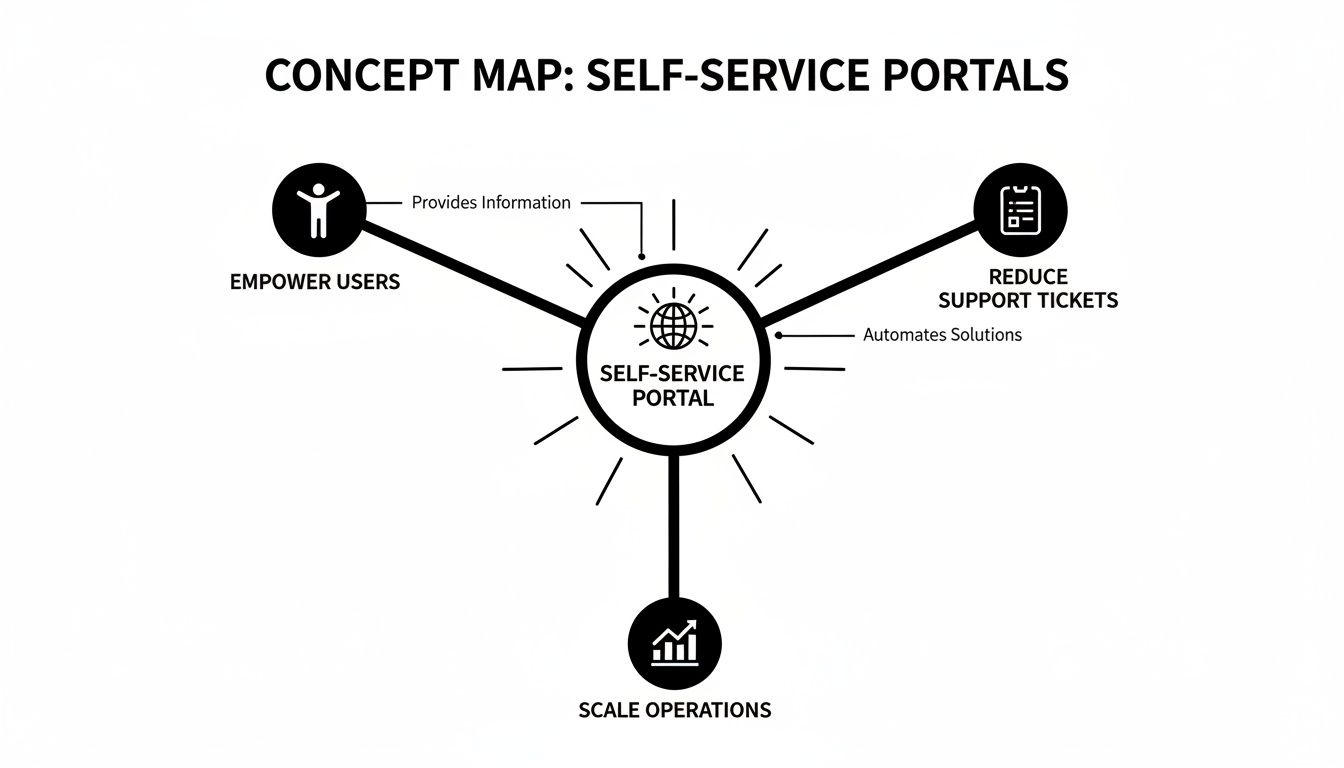
Ultimately, the goal of any portal is to turn customer independence into business efficiency.
The Community Portal
A community portal, usually a forum or discussion board, turns support into a team sport. Instead of a one-way flow of information from you to the customer, it creates a space where users can help each other out.
The real power of a community is that users often explain solutions in a way that resonates more deeply with their peers. They share unique use cases and creative workarounds that a company's official documentation might miss.
This portal fosters a sense of belonging and can become an incredible source of product feedback and new ideas. Moderators—who can be company staff or trusted power users—keep discussions on track and escalate tough issues to your official support team. While they do require moderation to thrive, communities can significantly lighten the load on your agents by creating a network of advocates. Many companies find that the same principles behind an employee self service portal, where staff collaborate internally, work just as well for customer-facing communities.
The Conversational Portal
The newest and most dynamic kid on the block is the conversational portal, typically powered by an AI chatbot. It simulates a one-on-one conversation to deliver instant answers. Unlike a knowledge base where users have to search and read, a conversational portal lets them just ask.
These portals are brilliant at providing immediate, 24/7 responses to straightforward questions. A well-designed chatbot can point a user to the right article, answer a quick question about pricing, or even kick off a process like a password reset. They act as an intelligent front door to your entire support ecosystem, resolving simple issues on the spot and seamlessly handing off more complex problems to a human agent.
Building the Business Case for a Self-Service Portal
So, you see the value in a self-service portal, but how do you get leadership to sign off on the investment? You can’t just walk in with a list of cool features. You need a rock-solid business case that speaks their language: cutting costs and growing revenue.
The argument is surprisingly simple. Every time a customer solves their own problem—whether it's finding an answer in your knowledge base or updating their account details—that’s a support ticket you didn't have to pay someone to handle. This isn't just a small win; it's a direct hit to your operational costs and a huge boost to efficiency.
Key Performance Indicators That Matter
To make your case undeniable, you have to anchor it in key performance indicators (KPIs) that scream "return on investment." These metrics shift the conversation from "nice to have" to "we need this now."
- Ticket Deflection Rate: This is the big one. It's the percentage of customer questions that get answered without ever touching a human agent. A high deflection rate is the clearest sign that your portal is working, freeing up your support team to tackle the complex, high-stakes issues that actually require their expertise.
- Cost Per Resolution: Do the math. Figure out what it costs to resolve a ticket with a live agent—think salary, software, and overhead. Now, compare that to the near-zero cost of a customer helping themselves on the portal. That difference is pure, quantifiable savings, multiplied by every single interaction the portal handles.
- Customer Satisfaction (CSAT): Don't forget to measure how happy people are when they use the portal. High CSAT scores prove that self-service isn't just a cost-cutting trick. It's what modern customers actually want—speed, control, and no waiting on hold.
When you frame the investment around these KPIs, the whole narrative changes. A self-service portal stops being an expense and becomes a strategic asset for optimizing your resources, slashing operational costs, and increasing customer lifetime value.
The Strategic Advantage of 24/7 Global Support
Beyond the immediate cost savings, a self-service portal gives you a massive strategic edge: the ability to offer consistent, 24/7 support anywhere in the world without having to hire an army of agents. If you're expanding into new markets or just serving customers across different time zones, this is a game-changer.
Your portal is always on. It helps a customer in another hemisphere with the same speed and accuracy as one right next door. This kind of global accessibility is quickly becoming the bare minimum. Just look at the Middle East and Africa, where the self-service tech market is expected to grow at a staggering 15.3% CAGR through 2030, driven by huge mobile adoption. Consumers in places like Saudi Arabia and the UAE are just as digitally savvy as those in Europe or North America, with 78% overall adoption. You can find more details about the Middle East and Africa's self-service technology market growth on Grandviewresearch.com.
At this point, not offering a robust self-service option isn't just a missed opportunity—it's a competitive liability. Customers today prefer to find their own answers, and the businesses that give them the best tools to do so are the ones that will earn their loyalty and their money.
Your Step-By-Step Portal Implementation Checklist

Launching a self-service portal isn’t just a tech project. It's a strategic move that can completely reshape your customer support model. But a structured approach is what makes the difference between a valued asset and a forgotten corner of your website.
This practical checklist breaks the whole journey down into eight manageable phases. Follow these steps, and you’ll sidestep the common mistakes that trip people up, building a platform that delivers real results from day one.
1. Define Clear Objectives
Before you write a single line of code or a single knowledge base article, you have to know what success looks like. Vague goals like "improve customer experience" just won't cut it. Your objectives need to be specific, measurable, and tied directly to business outcomes.
For instance, a clear objective sounds like this: "Reduce inbound support ticket volume for password-related issues by 30% within six months." Now that’s a target. It gives your team a clear goal to aim for and a solid benchmark for measuring your return on investment.
2. Identify Audience Needs
Your portal is for your customers, period. Their needs have to drive every single decision you make. Don't fall into the trap of assuming you know what they want. Instead, dive deep into your existing support data to find the most common and repetitive questions your agents are already answering.
Analyze your support ticket history, talk to your service agents on the front lines, and maybe even survey a segment of your users. This research is gold—it will tell you exactly what high-impact content and features you need to prioritize for a successful launch.
3. Develop Your Content Strategy
Content is the lifeblood of any self-service portal. A portal with sparse or outdated information is totally useless. Your content strategy should map out what information needs to be created, who is responsible for creating it, and how it will all be organized.
Start with the basics you uncovered during your audience research:
- Frequently Asked Questions (FAQs): Knock out the top 10-20 most common queries right away.
- Step-by-Step Guides: Create detailed, easy-to-follow tutorials for core processes like account setup or using key product features.
- Troubleshooting Articles: Document clear solutions for common errors or problems that customers run into.
You’ll also want to establish a consistent style and tone. This ensures all your content feels professional, helpful, and on-brand.
4. Choose the Right Technology Platform
The technology you choose will either empower your portal or severely limit its potential. Your platform has to be scalable, easy for your team to manage, and—most importantly—have a powerful search function. Search is the single most critical feature for user success.
You'll need to decide if a standalone knowledge base tool is enough, or if you need a more integrated platform that connects with your existing CRM and ticketing systems. Many modern help desk and service desk platforms offer built-in portal functionality, which can simplify this process immensely. To get a better handle on your options, you can explore detailed guides on the differences between a service desk and help desk to see which solution best fits your ecosystem.
5. Design an Intuitive User Experience
A confusing or cluttered portal will drive users away faster than anything. The user experience (UX) must be clean, intuitive, and mobile-responsive. Your customers have to be able to find what they need quickly and with minimal effort.
Your portal's design should prioritize function over flair. A powerful search bar, clear content categories, and logical navigation are non-negotiable elements for a positive user experience.
6. Plan Key System Integrations
To deliver a truly seamless experience, your portal can't operate in a silo. Integrating it with other business systems, like your Customer Relationship Management (CRM) or ticketing software, is absolutely essential.
This is what allows for personalized experiences, like showing a user their past support tickets or account-specific information right there in the portal. It’s a game-changer for the customer.
7. Create a Launch and Promotion Plan
You can't just build it and expect them to come. You have to actively guide users to your new portal. Develop a solid plan to promote it across all your customer touchpoints. Train your support agents to direct customers to relevant articles, add links in your company email signatures, and feature it prominently on your website.
8. Establish a Maintenance Cycle
A self-service portal is a living product, not a one-and-done project. You need to create a clear process for reviewing analytics, identifying content gaps, and updating articles on a regular basis. An outdated portal erodes customer trust and completely defeats its own purpose. Assign clear ownership for ongoing maintenance to ensure it remains a valuable and accurate resource for your customers.
Weaving Your Portal into the Business for a Seamless Experience

A great self-service portal never stands alone. It acts as the digital front door to your business, but its real power comes from what’s happening behind the scenes. To create an experience so fluid that customers prefer self-service, you need to nail two things: seamless system integration and a fantastic user experience (UX).
Think of your portal as the concierge at a high-end hotel. They can answer basic questions, sure. But they become truly indispensable when they have a direct line to housekeeping, room service, and the booking system. Without those connections, they're just a walking brochure. It's the exact same story with your portal—without deep integrations, it’s little more than a static FAQ page.
Connecting Your Systems for a Single Source of Truth
The end game with integration is to build a single, unified view of the customer. When your portal can talk to your other core business systems, it morphs from a simple library into a dynamic, personalized dashboard. This is where the magic really happens for the user.
For a truly frictionless experience, it's critical to explore robust integration capabilities that bridge the gap between your portal and existing software. Below are a few of the most critical connections to make.
Portal Integration Priorities
| System to Integrate | Primary Business Benefit | Impact on Customer Experience |
|---|---|---|
| CRM (e.g., Salesforce) | Provides a 360-degree view of customer history and preferences. | Users see personalized info like order history or account status instantly. |
| Ticketing (e.g., Zendesk) | Reduces agent workload by pre-populating ticket fields and automating status updates. | Customers can submit and track support tickets without leaving the portal. |
| Security (SSO/IAM) | Enhances data protection and ensures compliance with security standards. | Users enjoy a secure, single sign-on experience without juggling multiple passwords. |
| Multilingual Support | Expands global reach and improves engagement in diverse markets. | Content is delivered in the user's native language, making it more accessible. |
These integrations are what separate a frustrating, disconnected portal from a cohesive experience that makes customers feel understood. When every interaction is informed by their complete history, you build trust.
Designing a User Experience That Drives Adoption
Integration gets the backend plumbing right, but the user experience determines if anyone will actually turn on the faucet. A clunky, confusing interface will send users straight to your phone lines, completely defeating the purpose of self-service. A great UX, on the other hand, is built on a foundation of simplicity and speed.
Digital adoption in the Middle East has hit 75-80% across many industries, which shows just how ready customers are for digital-first solutions. But even with high engagement, UX gaps are a huge barrier. Around 60% of non-adopters avoid portals because they think talking to a person is faster—proving that a frustrating online journey is a major deterrent. To overcome this, your design has to be ruthlessly efficient.
To build a portal people actually want to use, focus on these non-negotiable UX elements:
- Intuitive Navigation: Content needs to be organized into logical, clearly labeled categories. A user should never have to wonder where to click next.
- A Powerful Search Bar: The search box is often the first place a user goes. It has to be fast, accurate, and smart enough to understand natural language to pull up relevant results instantly.
- Flawless Mobile Experience: A huge chunk of your users will be on their phones. The portal must be just as clean and functional on a small screen as it is on a desktop. No excuses.
Ultimately, by weaving together smart integrations and thoughtful design, you create self-service portals that don't just answer questions—they deliver a genuinely helpful and effortless experience.
Common Pitfalls to Avoid and Real-World Examples
Even the best-laid plans for self-service portals can go sideways. A portal is only valuable if people actually use it, and getting them to do so means avoiding a few common but critical mistakes. Launching your portal isn't the finish line—it's the starting gun for a continuous cycle of improvement.
One of the most frequent failures I see is treating the portal like a one-off project. Companies get excited, launch a beautiful portal, and then… crickets. The content gets stale and outdated. A knowledge base article referencing a two-year-old user interface is worse than having no article at all. It erodes trust and sends frustrated users straight to your support agents, defeating the whole purpose.
The Pitfall of Poor Discovery
Another massive pitfall is terrible discoverability, usually caused by a weak search function. If a user types a query into your portal's search bar and gets a page of irrelevant junk, they won't try again. They'll just assume the information they need isn't there, even if it is. To build user confidence, the search experience has to be fast, intuitive, and deadly accurate.
This is especially true in regions with different levels of digital adoption. A 2022 survey in the Middle East and Africa found a big gap in self-care app usage among telecom operators. African incumbents saw an average 40% adoption rate, while operators in the Middle East, like those in Saudi Arabia and Oman, averaged just 26%. Some markets were as low as 5.5%. This shows that just having a portal isn't enough; the user experience has to be compelling enough to keep people coming back. You can discover more insights about regional self-care app adoption from Analysys Mason.
Real-World Success Story: An E-Commerce Retailer
Let's look at an online fashion retailer that was drowning in repetitive support tickets about returns and order tracking. Their initial FAQ page was buried on their website and almost never updated, which just made customers angry.
To fix this, they launched a dedicated account management portal. It plugged directly into their logistics and CRM systems, giving customers real-time order tracking, one-click return processing, and a detailed order history. They promoted the portal heavily in post-purchase emails and trained their agents to point customers there first.
The result? A 40% reduction in "where is my order" tickets within three months and a noticeable lift in their Customer Satisfaction (CSAT) score. The key was making self-service the easiest and fastest path to an answer.
Their success came from zeroing in on a specific, high-volume pain point and delivering a targeted, frictionless self-service solution that was genuinely easier than contacting an agent.
For a real-world example of how AI can boost customer support and self-service portals, you can explore platforms like SupportGPT. For e-commerce businesses in particular, understanding how a self-service customer portal can supercharge your e-commerce sales is key to turning support from a cost center into a real revenue driver.
Got Questions About Self-Service Portals?
Even with the best strategy in place, leaders usually have a few lingering questions before flipping the switch on a self-service portal. Let's tackle the most common ones with direct, no-nonsense answers to get you ready for launch and set you up for long-term success.
How Do We Get Customers to Actually Use It ?
Driving adoption is your biggest post-launch hurdle. The trick is to make the portal the absolute path of least resistance for the right kinds of questions.
- Promote It Everywhere: Don't be shy about it. Add portal links to your agents' email signatures, stick it in your website's main navigation, and mention it in your on-hold phone messages. Make it impossible to miss.
- Train Your Team: This is a big one. Coach your agents to gently guide customers to relevant articles for simple issues. This reinforces the portal as a valuable first step, not a brush-off.
- Deliver a Genuinely Better Experience: At the end of the day, the portal has to be faster and easier than calling or emailing support. A killer search function and high-quality, up-to-date content aren't negotiable. They're what build the trust that brings people back.
What Is the Biggest Mistake to Avoid ?
The classic failure is the "set it and forget it" mindset. A self-service portal isn't a one-and-done project. It's a living, breathing product that needs constant care to stay useful.
The moment your portal's content becomes outdated, it starts actively eroding customer trust. A portal is a living asset that demands ongoing investment in content updates, user feedback analysis, and UX improvements to deliver sustained value.
Without a dedicated process for maintenance and updates, even the most beautifully designed portal will turn into a digital ghost town.
Can a Portal Completely Replace Human Agents ?
Nope, and it absolutely shouldn't. That's not the point. The goal of a self-service portal isn't to get rid of human interaction but to make it more meaningful. It empowers customers to solve the common, low-stakes stuff on their own time.
This move frees up your skilled human agents to focus their energy on the high-value, complex, or emotionally charged situations where their expertise truly shines. The best support models use the portal as the first line of defense, with a crystal-clear and easy path to a live agent when a human touch is what's really needed.


