

Think of the Mimecast Personal Portal as a dedicated digital mailroom for each member of your customer service team. It’s not just another IT tool; it’s a secure, self-service platform that gives your agents and managers direct control over their own email security and communication history. This is a world away from the old model of relying on IT administrators for every little email task.
The portal’s real power lies in delivering self-service capabilities across three critical areas :
- Email Security Management : Agents can manage their own lists of blocked and permitted senders, instantly releasing legitimate emails that were mistakenly flagged as spam.
- Infinite Email Archive : Users get immediate, searchable access to every single email they have ever sent or received. No customer interaction is ever truly lost again.
- Uninterrupted Email Continuity : If your primary email system like Microsoft 365 goes down, agents can keep sending and receiving emails directly through the portal, ensuring business as usual.
The interface is clean and user-friendly, which is exactly what busy agents need.
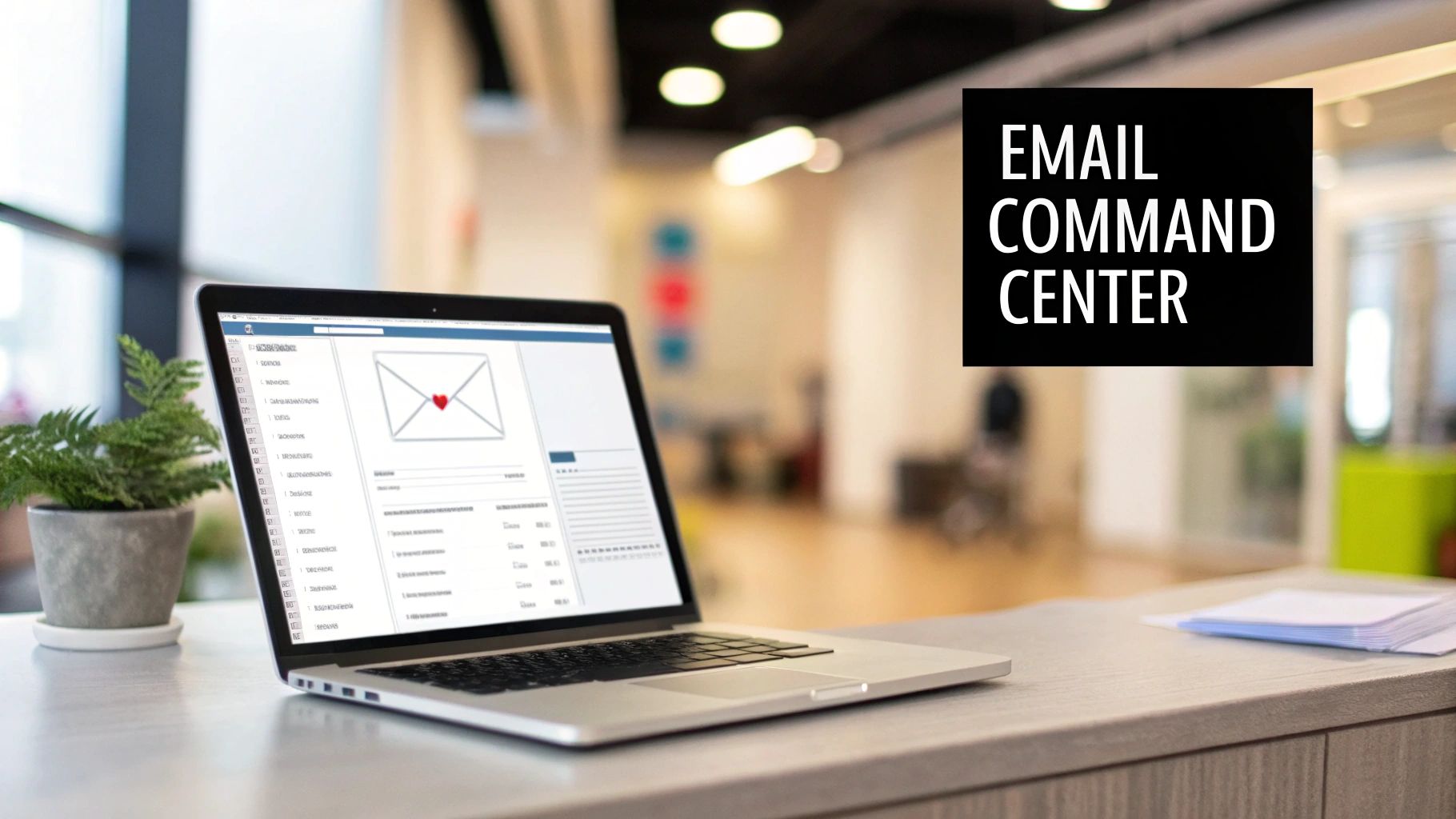
This design prioritizes accessibility, letting agents find what they're looking for without needing hours of training. You can dive deeper into creating these kinds of effective, user-focused platforms in the modern self-service portal playbook.
For CX leaders, this self-service model is a massive strategic advantage. It drastically cuts down the operational burden on your IT support teams and equips frontline staff with the tools to solve common email issues on their own. The result is a boost in both productivity and overall security awareness.
This approach has been part of Mimecast's strategy for years. Back in 2008, when Mimecast expanded into the Middle East, it introduced its Unified Email Management platform to organizations in the UAE, highlighting its rapid deployment and powerful search features. This expansion was a key move that brought these self-service capabilities to a new region.
Core Features That Empower CX Agents
The Mimecast Personal Portal stops being just a concept and becomes a powerful, practical tool for your frontline agents the moment they see its features in action. These aren't just random bells and whistles; they're intuitive functions designed to boost agent efficiency and security awareness for the tasks they handle every single day. The portal gives them the autonomy they need to solve common email issues without roping in IT.
This empowerment really boils down to three core capabilities that tackle the most frequent email headaches in any customer service environment. By mastering these, agents can seriously cut down their response times and become more effective overall.
To give you a clearer picture, here’s a quick breakdown of how these features directly benefit a CX team.
Key Mimecast Personal Portal Features for CX Agents
| Feature | Agent Action | Benefit for CX Team |
|---|---|---|
| On Hold Message Management | Reviews quarantined emails and releases legitimate ones. | Faster response to customer inquiries that were mistakenly flagged as spam, preventing support delays. |
| Personal Email Archive Search | Instantly searches their entire email history for specific conversations. | Quickly retrieves context for complex or long-running customer issues, leading to more informed support. |
| Managed Senders Lists | Blocks persistent spam addresses and permits trusted customer domains. | Reduces inbox clutter and ensures critical customer emails always get through, improving focus and efficiency. |
As you can see, each feature gives agents more control, directly impacting their ability to serve customers quickly and securely. Let's dig into each one.
Managing On Hold Messages
First and foremost is the power to manage quarantined emails, which Mimecast calls On Hold messages. Think of it as an intelligent security checkpoint for all incoming mail. Every now and then, a perfectly legitimate customer email—like a password reset request or an urgent question—gets mistakenly flagged by an overzealous spam filter.
Before the portal, an agent would have to create an IT ticket and just wait. That's a frustrating delay for both the agent and the customer. With the Mimecast Personal Portal, the agent can immediately view their quarantined emails, spot the legitimate message, and release it to their inbox with a single click. It turns a potential support bottleneck into a task that takes mere seconds.
This self-service quarantine management is crucial. It not only speeds up issue resolution but also trains agents to be more discerning about email security, reinforcing their role as the first line of defence against genuine threats.
Searching the Personal Email Archive
The second core feature is the bottomless email archive. Every single email an agent sends or receives is securely stored and becomes instantly searchable right from the portal. This is an absolute game-changer for handling complex customer issues that might stretch across multiple interactions over weeks or even months.
Picture this: an agent needs to review a conversation from six months ago to get the full history on a customer's problem. Instead of digging through cluttered inbox folders or asking IT to run an archive search, they can just use the portal's powerful search function. They can find specific emails using keywords, dates, or sender information and pull up the entire conversation history in a snap.
Personalising Security Settings
Finally, the portal lets agents personalize their own security settings through managed senders lists. This gives them direct control over who can and cannot email them, which is a simple way to improve inbox efficiency.
- Blocked Senders : If an agent is getting hit with persistent spam or phishing attempts from a specific address, they can add it to their personal block list. Done. Those messages will never reach them again.
- Permitted Senders : On the flip side, they can add trusted customer domains or partners to a permit list. This ensures their important communications are never accidentally sent to quarantine.
This level of personalization helps agents fine-tune their email environment, cutting out the noise so they can focus on what really matters—serving your customers effectively and securely.
Knowing exactly what to do breeds confidence. The Mimecast Personal Portal is built for intuitive self-service, giving your agents the power to handle common email tasks on their own without flooding IT with support tickets for every little thing.
Once your team masters a few key workflows, they become more self-sufficient, secure, and efficient. Think of the following steps as mini Standard Operating Procedures (SOPs) you can pull directly for your internal training guides. This ensures everyone, from new hires to seasoned pros, can hit the ground running.
The portal itself is designed to make processes smoother. For a broader look at this philosophy, learning how to automate repetitive tasks can help you apply similar efficiency principles across your team's entire toolkit.
First-Time Login and Setup
Getting started is a quick and secure process designed to get your agents connected with minimal fuss.
- Navigate to the Portal URL : Your administrator will give you the specific web address for your company's Mimecast portal.
- Enter Your Email Address : Use your full company email and click Next.
- Choose Your Authentication Method : Depending on how your company has it set up, you might use your standard company password (domain authentication) or a unique Mimecast cloud password.
- Complete Two-Factor Authentication (2FA) : If you see a prompt, enter the code from your authenticator app to prove it’s really you. This is a non-negotiable security step.
- Explore the Dashboard : After logging in, take a quick look around the main dashboard. This is your command center for accessing your archive, on-hold messages, and other tools.
Searching the Email Archive
Need to find a past customer conversation? This is one of the portal's most powerful features. It kills the guesswork and gives you crucial context in seconds.
- Open the Archive Search : From the main menu, just select the option to search your email archive.
- Use Specific Keywords : Type in keywords, customer names, or reference numbers. To get laser-focused results, wrap phrases in quotation marks (e.g., "Invoice 458B").
- Filter by Date Range : Don't waste time sifting through ancient history. Narrow your search by selecting a specific date range.
- Review and Action : The search results pop up instantly. From there, you can view, forward, or reply to any archived email without ever leaving the portal.
Managing Quarantined Emails
Agents can quickly check messages that Mimecast has flagged, making sure no important customer emails get lost in the shuffle.
- Access 'On Hold' Messages : Head over to the section of the portal for quarantined or "on-hold" emails.
- Review the Sender and Subject : Always check the sender's email address and the subject line carefully. Is this a legitimate message or just sophisticated spam?
- Choose an Action : You have a few choices for each message:
- Release : This sends the email straight to your regular inbox.
- Permit : This does two things—it releases the email and adds the sender to your personal "allow list," so their future emails won't get held up.
- Block : This deletes the email and adds the sender to your "block list," stopping them from ever reaching you again.
Crucial Tip : Always be cautious. If an email looks even slightly suspicious, it's far better to leave it quarantined than to risk unleashing a phishing attack. This simple workflow turns your agents into an active part of your company's security defense.
Managing Team Security and Compliance
While the Mimecast Personal Portal is fantastic for empowering individual agents, its real strategic power comes alive in the hands of CX managers and IT liaisons. This is where the portal shifts from a simple self-service tool to a command center for governance, giving you full control over your team's email security and compliance.
You move beyond individual user actions and start enforcing broad, protective policies. The administrative functions let you set up precise rules that safeguard your entire customer service operation, making sure every single interaction lines up with company standards and data protection laws. The goal is to create a secure framework that hums along quietly in the background.
This diagram shows the core user workflows that administrators are responsible for overseeing and securing.
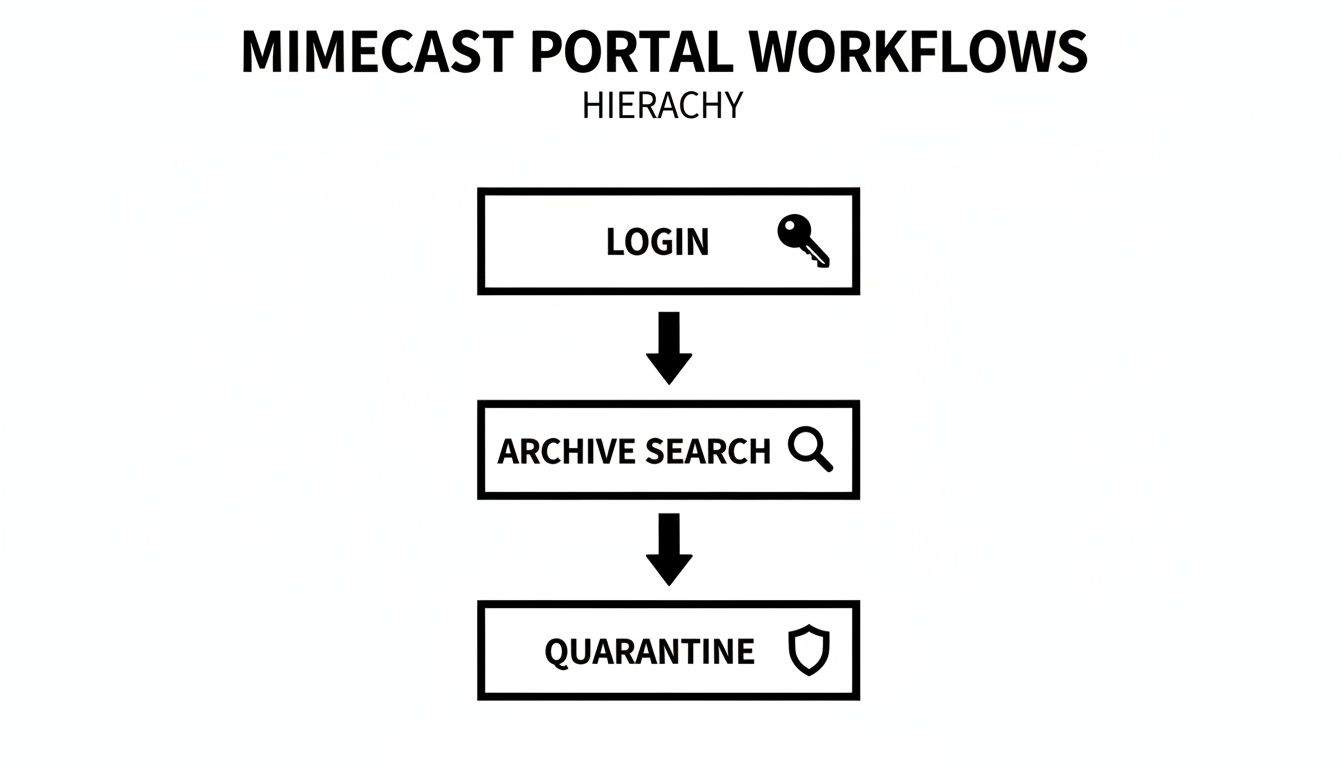
This visual hierarchy makes it clear how fundamental security controls, starting right from the login, flow down to protect critical agent tasks like searching archives and managing quarantined messages.
Configuring Key Administrative Controls
As an administrator, you get granular control over how your team interacts with their email. This kind of oversight isn't just a nice-to-have; it's absolutely critical for maintaining a secure and consistent communication channel with your customers.
Here are some of the key administrative functions you’ll be using:
- Setting User Permissions : You can define exactly what different users or groups are allowed to do. For instance, a frontline agent might only get access to their own archive, while a team lead could be granted permission to review their team's quarantined emails.
- Configuring Quarantine Policies : Admins are the ones who set the rules for what gets flagged as a suspicious email. You can fine-tune these "On Hold" policies to strike the right balance between security and operational needs, ensuring you don't accidentally delay legitimate customer emails.
- Running Audit Reports : The portal provides a crystal-clear audit trail. You can generate reports to track user activity, check how effective your policies are, and investigate any security incidents. This is absolutely essential for compliance.
These features are especially vital given the high threat level. A 2020 Mimecast report found that 60% of UAE organizations believed an email-borne attack was likely within the next year—a sobering reminder of the risks CX teams face every day.
The Importance of Role Separation
One of the most important security practices you can implement is the strict separation of user and administrator roles. Not every user needs the keys to the kingdom; in fact, granting overly broad access creates a massive, unnecessary risk. This principle is a cornerstone of good data governance.
By separating standard user access from administrative control, you create a layered defence. This ensures that even if a regular user's account is compromised, the attacker cannot alter security policies, delete audit logs, or access sensitive data beyond that single account.
This separation is non-negotiable, especially when you’re working with outsourced teams. For a deeper dive, check out our guide on navigating data security and compliance in outsourced customer service. By assigning specific, limited roles, you maintain tight oversight and protect sensitive customer information, no matter where your agents are located.
Integrating the Portal into Your BPO Strategy
When you bring outsourced customer support into the mix, keeping a tight grip on security and data governance is non-negotiable. The Mimecast Personal Portal really shines here, acting as a strategic bridge that extends your internal security policies to your BPO partners. It does this without getting in the way or sacrificing control.
The goal is to create a unified security posture across every team, whether they're in-house or halfway around the world. This integration ensures every single customer interaction is archived and protected under the same corporate rules, closing the security gaps that often appear with distributed teams.
Onboarding BPO Agents with Precision
A solid onboarding process is the bedrock of any good BPO partnership. The portal's granular permissions are your best friend here, letting you give outsourced agents access only to what they absolutely need to do their jobs. It’s the principle of least privilege in action, and it’s a security best practice for a reason.
For example, you can build roles that let BPO agents search their own email archives and manage their on-hold messages, but block them from tweaking security settings or digging into company-wide data. This surgical approach minimizes your risk right from day one. For a deeper dive, check out our guide on how to onboard new outsourced agents quickly and effectively.
This isn’t about mistrust. It's about building a secure, well-defined operational framework that empowers your BPO partners to succeed while keeping your sensitive company and customer data safely inside your security perimeter.
Establishing Clear Operational Procedures
Once your agents are onboarded, clear Standard Operating Procedures (SOPs) are what keep everything running smoothly and securely. Your SOPs need to offer step-by-step instructions for the critical workflows your BPO team will handle every day.
- Quarantine Management : Lay out a clear process for reviewing and releasing messages from quarantine. Define what a suspicious email looks like and specify exactly when an agent should escalate an issue instead of releasing a message themselves.
- Archive Search Protocol : Create guidelines for how agents should use the archive to look up customer history. This helps them resolve issues fast while staying compliant with data privacy rules.
- Security Incident Reporting : Make it simple for agents to report potential phishing attempts or other sketchy emails they find in the portal. A clear, easy-to-follow process is key.
A structured approach like this turns the Mimecast Personal Portal into a predictable and secure tool for your entire distributed support network.
By 2023, Mimecast's global infrastructure was already protecting 17 million end-users across 23 countries, which speaks volumes about its robust, scalable platform. That kind of reliability is gold for CX managers overseeing dynamic BPO operations in places like the UAE, guaranteeing the portal remains a dependable security asset for everyone. If you're looking to weave the portal into a broader strategy, checking out resources like the Genesys App Integration for BPO can offer some great insights into connecting your systems seamlessly.
Troubleshooting Common Portal Issues
Even the most straightforward tools hit a snag now and then. The good news is that most common issues with the Mimecast Personal Portal can be fixed in minutes, often without needing an IT ticket. When you give your agents a few simple troubleshooting steps, you empower them to solve problems on their own, which means less downtime and frustration.
Think of this section as your first line of defense. It’s laid out in a simple problem-and-solution format, so agents can quickly scan for a fix to the most frequent portal hiccups they're likely to run into.
Login Failures and Access Problems
The most common hurdle by a long shot is a simple login failure. Before anyone escalates the issue, have them run through this quick self-check.
- Check the URL : Are they using the correct web address for your organization's Mimecast portal? A simple typo is the culprit more often than you'd think.
- Verify Credentials : Ask the agent to double-check their email address and password. If your company uses domain authentication (the same password as their computer), that should be their first try.
- Reset the Password : If they have a dedicated Mimecast cloud password and can't remember it, the "Forgot Password" link on the login page will let them kick off a secure reset process all by themselves.
Released Emails Not Appearing in Inbox
It happens: an agent releases an email from quarantine, but it’s nowhere to be found in their primary inbox. This delay can be confusing, but it’s rarely a serious issue.
The most common reason for this is a slight delivery lag between Mimecast and your primary email server, like Microsoft 365. The email is on its way; it just hasn't completed the journey yet.
Agents should first refresh their inbox and then give it five to ten minutes. It's also a good idea to check their spam or junk folder, as their own email client might have accidentally filtered the newly delivered message.
Ineffective Archive Searches
When an agent struggles to find a specific email in the archive, the problem usually isn't the archive—it's how they're searching. A few small tweaks to their search tactics can make all the difference.
Quick Search Tips :
- Use Quotation Marks : For an exact phrase like "Invoice 8472B", putting it in quotes tells the system to look for those words together, in that exact order.
- Filter by Date Range : If they have a rough idea of when the email was sent, narrowing the date range can dramatically cut down on irrelevant results and speed things up.
- Try Different Keywords : Encourage them to think like a detective. They can try searching by a customer's name, a specific reference number, or another unique detail from the conversation.
Frequently Asked Questions
So, how does the Mimecast Personal Portal really fit into your day-to-day security and operations? Let's tackle a few of the most common questions we hear from CX leaders and ops managers.
How Does the Portal Improve Security for Remote Agents ?
Think of the Mimecast Personal Portal as a secure bubble for your entire distributed workforce. It centralizes all the sensitive email security tasks, which means your agents aren't managing things like quarantined messages or archive searches over their potentially unsecured home Wi-Fi or personal devices.
Every single action happens inside Mimecast's protected environment. This setup drastically cuts down the risk of data exposure compared to agents handling security through their local email client, where just one compromised laptop could open up a massive vulnerability for your entire organization.
Can We Customize Portal Access for Different BPO Partners ?
Absolutely. Granular control is one of its biggest administrative strengths. You can build out completely distinct roles and permission sets for each of your BPO partners, sticking to the principle of least privilege.
For instance, you could create a role that lets one partner's agents manage their own quarantined emails but blocks them from searching the company-wide archive. This ensures different outsourced teams only ever see the data that's essential for their job, keeping everything neatly segregated and secure.
What Is the Difference Between the Portal and the Outlook Plugin ?
It's best to think of them as two tools designed for different jobs. The Mimecast Personal Portal is your comprehensive, browser-based command center. It’s built for the heavy lifting—like deep archive searches, managing email continuity during an outage, and handling detailed security tasks.
The Mimecast plugin for Outlook, on the other hand, puts quick, in-the-moment security features right inside the email client. It’s perfect for fast actions like reporting a spam email or blocking a sender without ever having to leave the Outlook window. Simply put: the portal is for deep work, and the plugin is for quick tasks.


