
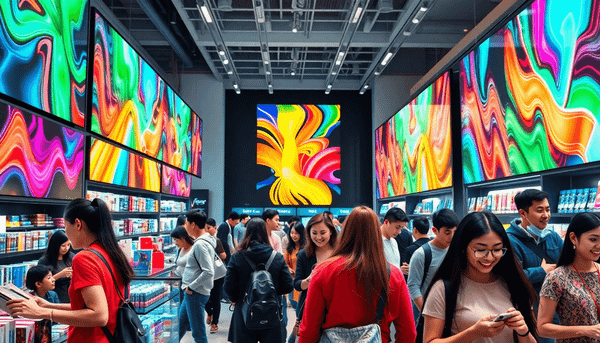
That is what modern digital signage does when it is done right. It brings the best parts of ecommerce into the physical space. Clear product info. Comparisons. Reviews. Fresh promos. A little bit of storytelling. And very direct calls to action.
But here is the catch. Most retailers still treat digital signage like “screens that play ads.” They install hardware, run a looping slideshow, and six weeks later the screens are either ignored or outdated. The real win comes from the setup behind the screens. Hardware that fits the environment, software that makes updates painless, and a content workflow that actually survives week three.
This guide is about using digital signage to boost sales, not just to look modern.
What digital signage is now (and what it is not)
Digital signage is a network of screens in a physical space that displays promotional, informational, and sometimes interactive content. You see it in airports, quick service restaurants, transit stations, and obviously retail.
In retail specifically, the purpose is simple:
- Reduce friction in the buying journey
- Increase conversion and basket size
- Connect your online and in store marketing so the store is not a separate universe
And yes, it can also make the store feel “premium.” But that is a side effect. Not the strategy.
Why it boosts sales in 2026 (the practical reasons)
A store is full of tiny decision points. Digital signage helps at the exact moments people stall.
1. It pulls people in from the sidewalk
Window shoppers are still a huge source of foot traffic. A static poster is easy to ignore. Motion and changing content is not.
Interactive displays do this even better. The classic example people bring up is Bloomingdale’s style of interactive sunglasses displays, where the screen invites browsing before you even step inside. The psychology is basic. If the outside of the store already feels like “shopping,” people cross the threshold.
If you are in a high foot traffic area, one bright, well placed storefront screen that rotates offers, new arrivals, and a quick “what’s inside” preview can pay for itself faster than most store upgrades. But only if the content is updated often enough to stay believable.
2. It makes product discovery less annoying
A lot of lost sales are not “I changed my mind.” They are “I could not find it” or “I am not sure which one to pick.”
Digital signage can work like in store navigation and education:
- Aisle and department guidance
- Category explainers
- “If you like X, try Y” suggestions
- Simple comparisons people usually do on their phone anyway
When shoppers can self serve basic info, staff can focus on higher value conversations. Fit, styling, bundles, warranties, add ons. The stuff that actually moves revenue.
3. It supports upsells and cross sells in the moments that matter
Retail upsells are most effective in two places:
- At decision time (standing in front of the shelf)
- At checkout (when people are already mentally spending)
Digital screens can run targeted prompts that rotate based on time, season, inventory, and promotion. This is where it starts to feel like ecommerce. You can replicate the “Frequently Bought Together” style logic, but in a physical space.
If you are on Shopify POS, there are apps like Marsello and Frequently Bought Together that are commonly used online for upselling and cross selling. In 2026, the smart move is aligning those same offers across channels. Not necessarily showing the exact same widget, but showing the same bundles, the same messaging, the same promo windows. It builds consistency and lifts conversion.
4. It tells your brand story without fighting for shelf space
Physical retail has limited space for storytelling. A small sign can only do so much.
Digital signage gives you room for:
- How the product is made
- Why the brand exists
- Customer testimonials
- Simple infographics that build trust fast
Brands like Toms and Ben & Jerry’s have always leaned on story to create loyalty. In store screens can do that continuously, without turning the store into a museum of printed placards.
5. It keeps multi location promos accurate
If you manage multiple stores, printing and shipping new promo signage is slow and messy. And it introduces errors. Outdated coupon signs, inconsistent pricing messaging, store specific promos accidentally shown everywhere.
Centralized tools solve this. Retailers like Bambi Baby are often mentioned in the context of remotely updating coupons across locations. That one capability alone, fast updates across a fleet, is a real operations win. It also protects margin because your promo logic stays consistent.
6. It builds loyalty at the register, where attention is available
Near the register, you have a captive moment. People are waiting. They are scanning their phone. They are open to a simple next step.
This is where you push:
- Loyalty program signups
- Mobile app installs
- Email and SMS opt ins
- “Review us” prompts
- QR codes for receipts, care guides, reorders
It sounds small. It is not. Loyalty programs increase repeat purchase, and digital signage makes the pitch feel normal. Not like a cashier reading a script.
The retail digital signage stack (hardware, software, content)
If you want signage that stays useful after launch, think in three layers.
Hardware: the physical pieces
At minimum, you need:
- Display: commercial grade screens are usually worth it for longer run time and better brightness
- Media player: a dedicated player or built in system that runs your content reliably
- Mounts: safe, secure, and positioned for visibility
- Networking equipment: stable internet, sometimes a dedicated VLAN depending on your IT setup
Optional, but common in retail:
- Touch hardware for interactive browsing
- Sensors (traffic, dwell time) depending on analytics goals
- Kiosks for self service, ordering, or appointments
Brightness and placement matter more than people expect. A screen that looks great in your office can look washed out in a sunny storefront. Plan for the real environment, not the ideal one.
Software: the CMS that keeps things alive
Digital signage software is basically a content management system for screens. In retail you want:
- Uploading and organizing assets
- Templates (so updates do not require a designer every time)
- Playlists and scheduling (by time of day, day of week, season)
- Remote management (reboots, status checks)
- Proof of play and reporting (what actually ran, and when)
- User permissions (store managers should not be able to accidentally break the whole network)
- Emergency messaging support (yes, it matters)
- Integration support (POS, inventory, analytics, ecommerce feeds)
If the CMS is hard to use, your screens will freeze in time. That is always the failure mode. A beautiful launch, then nothing changes.
Content: what the customer actually sees
Common retail signage content formats:
- Slides and simple presentations
- Photos and product imagery
- Graphics and illustrations
- Video, animation, 3D, live feeds
- QR codes and short URLs for action
In 2026, static loops are not enough unless your store is tiny and the messaging is extremely tight. Customers are used to fresh feeds. The content should change often. Even small changes, like rotating testimonials weekly, makes the store feel maintained.
Use cases that actually move revenue (not just “cool tech”)
Some digital signage is pure theater. Fun, but not measurable.
These are the use cases that usually tie more directly to sales.
Smart mirrors and RFID assisted fitting rooms
Examples like Adidas style digitally inspired stores with RFID mirrors and immersive fitting rooms show what is possible. When the fitting room recognizes what you brought in, you can recommend:
- Different sizes in stock
- Complementary items
- Styling options
- Alternate colors
It reduces the “I need a different size” friction and can lift average order value. It also saves staff time if the workflow is designed right.
H&M’s COS stores have used smart mirror concepts as well. The key is not the mirror itself. It is the connection to product data and a clean experience.
Personalized recommendation displays
Nordstrom’s Digital Denim Doctor is a good reference point. It uses 360 degree imagery, intelligent filtering, and guided questions to recommend jeans based on body type, lifestyle, and fabric preferences.
This is exactly what online filters do. In store, it helps customers who feel overwhelmed. It also helps newer staff, because the system provides structure.
Virtual try on
Sephora’s ModiFace virtual try on tech is the obvious example. Try before you buy without opening product. Less waste, more confidence, faster decision making.
You do not need Sephora level tech to benefit from this category. Even basic interactive screens that show shade ranges, undertones, and before after content can reduce returns and improve conversion.
Body scanning and fit guidance
AdoreMe’s Chattanooga store is often referenced because it uses Fit3D body scanners in fitting rooms and then staff help shoppers order the right fit.
This is a bigger investment, but it speaks to a trend. Fit and personalization are moving into stores because returns are expensive and customer patience is low.
Self checkout kiosks and assisted ordering
Walmart style self checkout kiosks are one end of the spectrum, but there is a softer version that works for many retailers. Assisted ordering kiosks. If a size is out of stock, the customer can order for shipping right there. You keep the sale and protect the customer experience.
How to plan screen placement (this is where money gets wasted)
Before buying anything, map the store like a customer journey. Not like an operations diagram.
Typical placements that perform:
- Storefront window: foot traffic driver, bright screen, short messages
- Decompression zone near the entrance: brand story, what is new, quick orientation
- Category endcaps: promos and comparison help
- High consideration zones (denim wall, skincare, tech accessories): education and recommendations
- Fitting room area: styling suggestions, cross sell, care tips
- Checkout line: loyalty prompts, last minute add ons
One mistake is putting screens where staff want them, not where customers look. Another is hanging screens too high with tiny text. People do not read those. They glance, then move on.
Also. Accessibility is part of placement:
- Readable typography and contrast
- Captions if you use video
- Touch targets at usable height if interactive
- Avoid relying on audio in a loud store
The content workflow that keeps your screens from dying
This is the part nobody wants to talk about because it sounds boring, but it is the whole game.
You need clear ownership for:
- Creation: who makes the assets, and in what format
- Approval: who signs off, especially for pricing and promos
- Publishing: who schedules and pushes updates
- Maintenance: who checks screens weekly and responds when one goes offline
If you have multiple locations, create a simple tiered model:
- HQ controls brand templates, core promos, guardrails
- Store managers can choose from approved playlists or add local content in a limited zone
- Pricing and coupons are centrally controlled to avoid chaos
If you do not do this, digital signage turns into “another thing marketing asked us to manage,” and then it quietly fails.
Integrations in 2026: where signage starts acting like ecommerce
The more your signage reflects real store conditions, the more customers trust it.
Useful integrations include:
- POS and promotions: so the offer on screen matches the register
- Inventory: show “in stock” vs “order to ship” messaging
- Ecommerce: mirror campaigns, new drops, reviews, UGC
- Analytics: screen uptime, proof of play, engagement for interactive screens
Shopify POS is worth calling out here because it unifies ecommerce and in store sales data in one system. That matters when you are trying to run consistent promos, track performance, and understand customers across channels. Your signage strategy should match that unified approach, otherwise your store messaging drifts away from what you are doing online.
Budget and rollout: start smaller, but do it properly
A realistic pilot budget often starts around $5,000 once you factor in hardware, installation, and initial content. You can spend less if you cut corners, but then you will pay later in maintenance and rework. That is just how it goes.
A sane rollout plan:
- Pilot one store or one zone (front window plus checkout is a common pairing)
- Measure a few clear outcomes: foot traffic changes, conversion in promoted categories, loyalty signups, average basket size
- Fix the workflow: content updates, approvals, who owns what
- Scale to other stores with the same templates and controls
The goal of the pilot is not to “try screens.” It is to prove you can operate a network of screens without it becoming a part time job for your best manager.
Choosing the right digital signage solution (a quick checklist)
If you are evaluating vendors or platforms, ask questions in these buckets.
Placement and brightness
- Is the screen intended for indoor, window facing, or outdoor?
- What brightness level do you actually need in your lighting conditions?
- Are mounts and viewing angles planned, not guessed?
Content ownership and updates
- Who will create content, and how often?
- Do templates exist so updates can be done fast?
- Can you localize content per store without breaking brand consistency?
Installation, maintenance, support
- Who handles mounting, wiring, and network access?
- What is the support response time?
- What is the replacement plan if a screen fails?
- Can you monitor uptime centrally?
Integrations
- Can it integrate with POS, inventory, ecommerce, and analytics tools?
- Do you have proof of play reporting?
- Can it support emergency messaging if needed?
Total cost of ownership
Hardware is only the start. Budget for:
- Installation and cabling
- Software subscriptions
- Content production (photo, video, design)
- Ongoing support and maintenance
If a vendor only talks about the cost of screens, they are not talking about your real cost.
A few simple content plays that work almost everywhere
If you are stuck on what to show, start with these. They are not flashy, but they sell.
- Top sellers with 3 reasons why (quick benefits, quick social proof)
- Comparison charts (good, better, best)
- Bundles (what goes together, why it saves money)
- User generated content and testimonials (rotate weekly)
- Explainers for high consideration categories (how to choose, what matters)
- Loyalty pitch at checkout with a clean QR code and a real incentive
Keep text short. One idea per screen. If you need paragraphs, put it behind a QR code.
Wrapping it up
Digital signage in retail is not a trend anymore. It is basically the bridge between online shopping expectations and the physical store reality.
When it works, it does a few things at once. It brings in foot traffic, reduces friction inside the store, supports upsells and cross sells, and keeps your messaging consistent across locations. It can tell your story without eating shelf space. And it can push loyalty in the one place customers actually pause, right at checkout.
But the screens are the easy part. The win is the system. Hardware that fits the space. A CMS your team will actually use. And a content workflow with real ownership so the screens stay fresh after launch.
If you are planning for 2026, start with a small pilot, build the operational muscle, then scale. That is how you get signage that sells. Not signage that just glows.
FAQs (Frequently Asked Questions)
What is modern digital signage and how does it enhance the retail shopping experience?
Modern digital signage is a network of screens in physical retail spaces that display promotional, informational, and interactive content. It enhances the shopping experience by communicating effectively with customers—helping them find products, showing new arrivals, simplifying choices, and reducing the need to search for staff assistance. It brings the best parts of ecommerce into stores through clear product information, comparisons, reviews, fresh promotions, storytelling, and direct calls to action.
Why do most retailers fail to maximize the potential of digital signage?
Many retailers treat digital signage merely as "screens that play ads," installing hardware and running looping slideshows without updating content regularly. This approach leads to screens being ignored or outdated within weeks. The real success comes from proper setup behind the screens—including suitable hardware, user-friendly software for easy updates, and a sustainable content workflow—that ensures digital signage continuously boosts sales rather than just looking modern.
How does digital signage help increase sales in retail stores in 2026?
Digital signage increases sales by addressing key decision points in the customer journey: attracting foot traffic through dynamic storefront displays; simplifying product discovery with aisle guidance and recommendations; supporting upsells and cross-sells with targeted prompts at shelves and checkout; telling compelling brand stories without shelf space limitations; maintaining accurate multi-location promotions via centralized updates; and building customer loyalty at registers through loyalty program signups, app installs, and review prompts.
What are the practical benefits of using digital signage for product discovery in stores?
Digital signage reduces frustration by assisting shoppers who struggle to find products or choose between options. It offers aisle and department guidance, category explainers, personalized suggestions like "If you like X, try Y," and simple product comparisons—functions shoppers often perform on their phones. This self-service allows store staff to focus on higher-value interactions such as fitting advice or discussing warranties, ultimately improving conversion rates.
How can retailers manage multi-location promotions effectively using digital signage?
Retailers can use centralized digital signage tools to remotely update promotional content across multiple store locations quickly and accurately. This eliminates delays associated with printing and shipping physical signs and prevents errors like outdated coupons or inconsistent pricing messages. Fast updates across a fleet of screens protect margins by ensuring consistent promo logic and enhance operational efficiency.
What components make up an effective retail digital signage system?
An effective retail digital signage system consists of three layers: hardware (commercial-grade displays for brightness and durability, reliable media players to run content smoothly, and secure mounts positioned for visibility); software that enables painless content updates; and a content workflow designed to keep messaging fresh and relevant beyond initial deployment. Combining these elements ensures digital signage remains useful, engaging, and sales-boosting over time.